

Use the newly available Veeam iResOps for Microsoft 365 to plan a precise AI-agent recovery drill: establish scope, identify changes, restore selectively and verify.
What became available on October 15
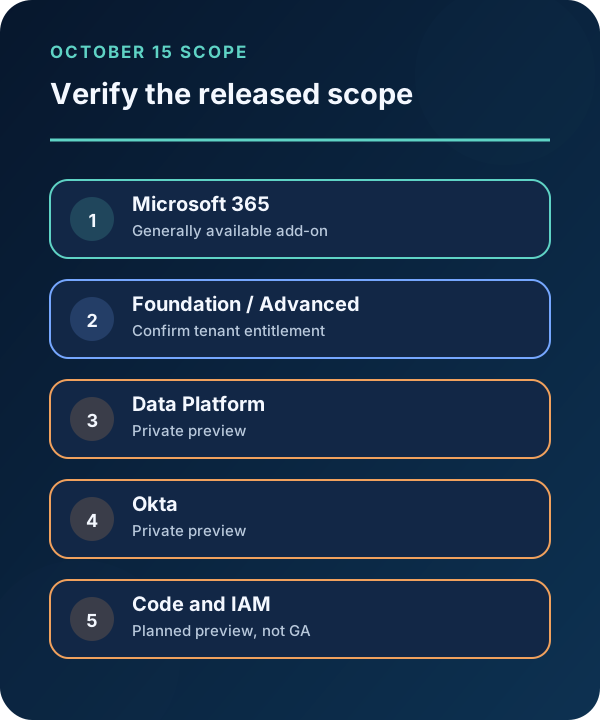
Veeam announced general availability of Intelligent ResOps for Microsoft 365 on October 15, 2026. The company describes it as an add-on to Veeam Data Cloud for Microsoft 365 in Foundation and Advanced editions and through Veeam Cloud & Service Providers. It is designed to discover agents, map data access and file-level changes, identify protection gaps and support selective undo.
The generally available scope matters. Veeam Data Platform and Okta versions are private previews; GitHub, Azure DevOps and Google IAM previews were described as future Q4 plans. They should not be represented as production features. Public pricing was not established by the reviewed pages, so customers should confirm commercial terms and tenant eligibility with Veeam or their provider.
Firecrawl searches on October 21 returned Veeam’s announcement first, October 19 analyst coverage second and multiple October 15 reports. That shows active coverage of the release, not independent validation of recovery accuracy or a guarantee of search demand.
1. Define a recoverable test before touching production
Use an approved test tenant or a controlled set of non-sensitive Microsoft 365 files already covered by Veeam Data Cloud. Record the baseline content, permissions, labels, owners and backup status. Choose one fictional agent identity and a short change window, then create a few reversible edits and deletions through the approved test method.
Do not create destructive production activity to demonstrate the feature. If a test tenant is unavailable, use a tabletop exercise with existing backup evidence and vendor documentation instead.
The expected input packet contains the incident window, actor or agent identifiers, in-scope locations, business owner, protected restore point and success criteria. For example: restore two changed files and one deletion while retaining an unrelated authorized edit made after the baseline.

2. Build a change map and challenge it
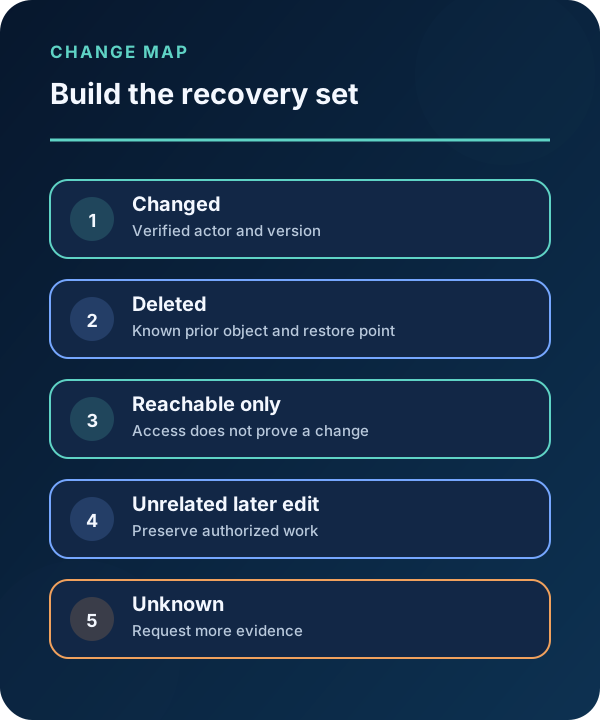
Use iResOps to identify the agent, files it could reach, recorded changes and backup status. Export or capture the durable identifiers available to your authorized workflow. Compare the proposed set with Microsoft 365 audit evidence and the known test actions.
Suggested review prompt for an approved assistant: ‘For this synthetic drill, list each in-scope file, the observed change, time, actor, protection state and proposed restore point. Cite the supplied record. Mark conflicts and missing evidence unknown. Do not add files merely because the agent could access them.’
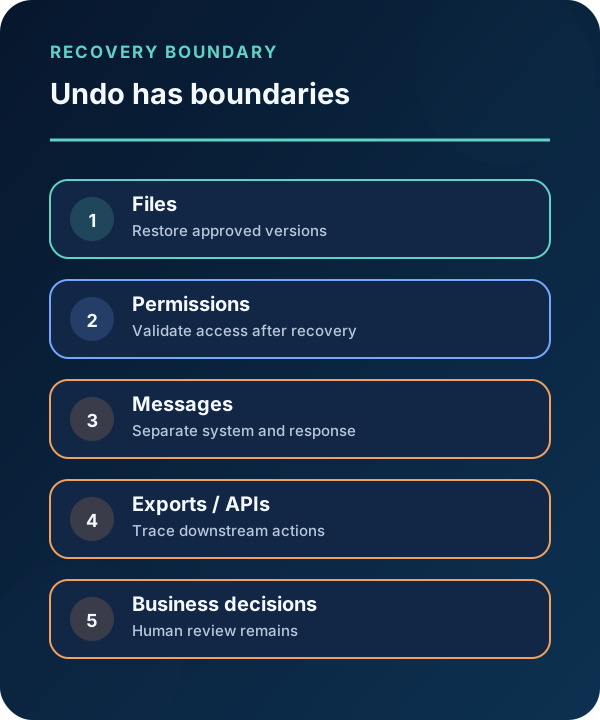
Access is not modification, and a timestamp correlation is not proof of causation. Futurum’s October 19 analysis makes an important distinction: rollback restores data, not the business decisions or downstream actions that may have followed an edit. Keep those consequences in a separate impact list.
3. Approve and restore the smallest valid set
Have the workload owner and recovery operator review the file list, selected versions and effects on permissions or collaboration. Preserve evidence before restoring. Then execute the product’s supported selective recovery procedure for only the approved test items.
Record start and completion times, operator, object identifiers, restore point, product result and errors. Do not describe a successful interface message as business recovery. A file can be present while its content, sharing, links, labels or downstream workflow remains wrong.
If the tool proposes quarantining redundant or sensitive data, handle that as a separate governance decision. Do not combine cleanup, classification and incident recovery into one irreversible operation.

4. Verify the workload and document what Undo did not undo
Compare file hashes or approved content checks, permissions, labels, ownership, link behavior and application-specific state with the success criteria. Confirm that the unrelated later edit remains. Ask the business owner to validate the documents in the normal workflow.
List effects outside the recovered store: sent messages, copied content, exports, decisions, external APIs and credentials are not necessarily reversed by restoring files. Investigate and remediate those through their own systems.
Retain the change map, approvals, restore evidence, verification results and unresolved impacts. Repeat the drill after material configuration changes. The vendor’s precision-recovery description is a product claim until it is demonstrated against your tenant, evidence and recovery objectives.
Use the drill to decide whether the add-on earns a role
Evaluate change-set accuracy, false inclusions, missing items, operator corrections, verification effort and recovery success on authorized examples. Compare the result with the existing Veeam Data Cloud recovery process. No improvement percentage is claimed here, and a generally available label does not eliminate the need for tenant-specific testing.
- Confirm the licensed GA scope before relying on the feature.
- Verify agent changes against independent Microsoft 365 evidence.
- Restore selectively, then validate content, access and downstream effects.
Put the insight into practice.
Deep Security helps organizations assess risk, validate controls, and build a practical plan to strengthen their defenses.
Talk with Deep Security