

A practical pilot guide for AutoTableTop 2.6.2 using sanitized plans, objective-based stages, named roles, reviewed after-action evidence and no live-system actions.
What changed in version 2.6.2
ThreatGEN announced general availability of AutoTableTop 2.6.2 on November 19. The vendor says the release can draw on documents attached to an exercise, gate stage progression on objectives, support multiple teams and roles, and place scored actions into an after-action report. It also reports stronger tenant separation, session invalidation, role-based permissions, audit logging and removal of sensitive data from logs.
Industrial Cyber published detailed release coverage on November 24, and Welcome.AI separately summarized the enterprise controls while noting that public adoption or revenue data does not verify commercial traction. Treat functionality and security statements as vendor claims until your own pilot confirms them in the chosen deployment.

Who can use it, deployment choices and plan limits
ThreatGEN says 2.6.2 is available to all customers, with no action required for cloud subscribers. It lists cloud, hybrid with local data, and fully on-premises deployment, plus packages for single facilitators, consultants and enterprises. The reviewed public sources do not state prices or map every feature to every package, so confirm seats, storage, model handling, support and deployment terms directly before procurement.
The feature fits security, IT, OT, crisis-management and business-continuity teams that already have an approved exercise program. It does not replace incident command, legal review, business-impact analysis or technical validation. Do not upload credentials, exploit details, live customer data or unredacted internal plans until data handling, retention, tenant isolation and access controls are contractually and technically understood.
Step 1: define one exercise contract
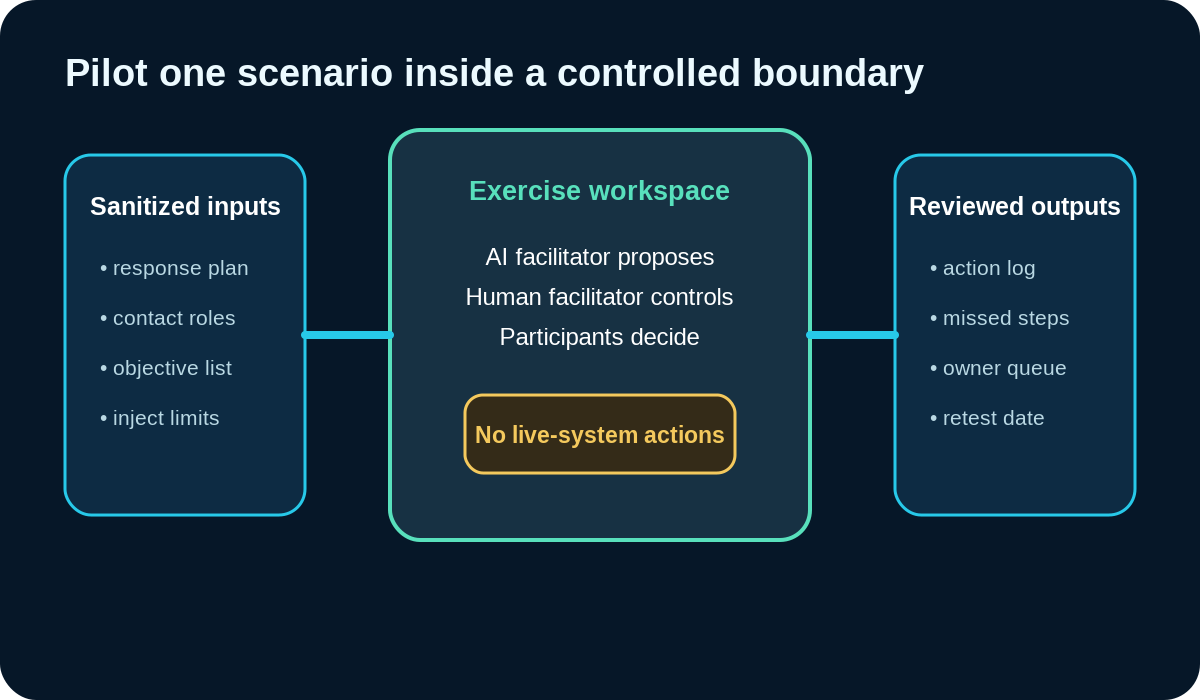
Choose one scenario with measurable learning objectives, such as ransomware affecting a file service or a third-party outage disrupting a customer workflow. Define participants, facilitator authority, observer rules, stop conditions, duration, stage objectives and the evidence expected at each decision. Use sanitized copies of the relevant plan and role list.
Example facilitator instruction: “Use only the attached sanitized plan. Present one inject at a time. Ask the named role for a decision and evidence. Do not invent system status, legal conclusions or communications approval. Pause before each stage transition for facilitator review.” This is a suggested configuration, not a tested product outcome.
Step 2: run with a human facilitator in control
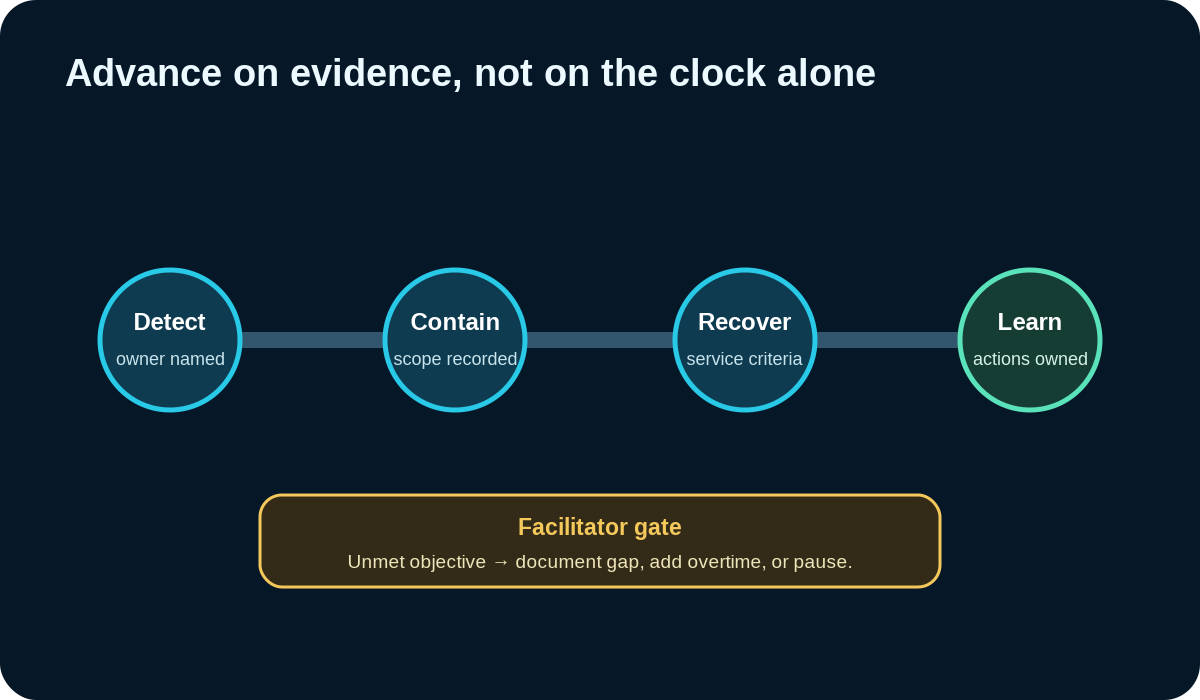
Before the session, verify access roles, facilitator-only content, session termination behavior and audit-log visibility in the pilot tenant. During the exercise, the human facilitator should review each inject, correct unrealistic assumptions and decide whether an objective is met. Participants should respond as they would in the real organization, but no live system change should be connected to the exercise.
Record where the AI follows or conflicts with the plan, whether role boundaries hold, which citations reopen correctly and whether the stage gate reflects the evidence. A score can support discussion, but it is not an audit result or proof of readiness.
Step 3: verify the after-action report
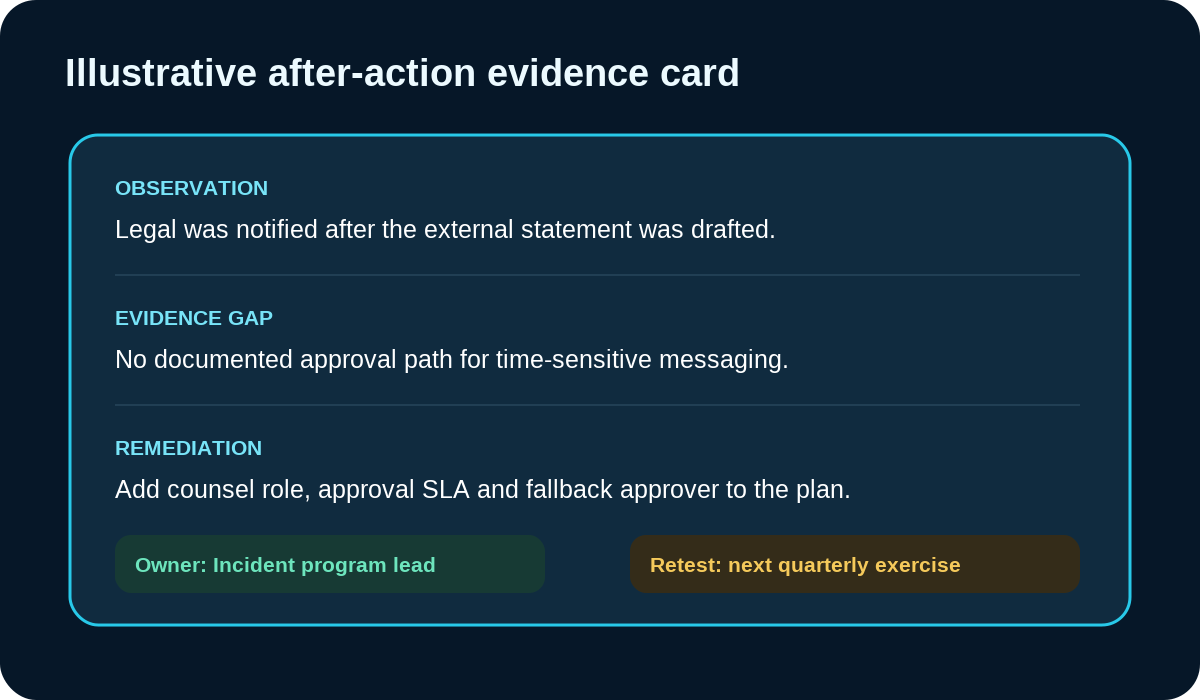
After the session, compare the generated report with the event log, facilitator notes and participant decisions. Separate observed actions from model interpretation. Convert only verified gaps into work items with an accountable owner, due date, evidence requirement and retest date. Reject recommendations that exceed the scenario or conflict with policy.
Track preparation time, facilitator overrides, unsupported report claims, objective completion evidence, remediation ownership and closure at the next drill. Those measures help evaluate the pilot. They do not prove the organization can withstand a real incident.

Limitations and topic-selection signal
Generative facilitation can create unrealistic injects, misread a plan, reward the wrong behavior or expose sensitive context. Exercise scores can become misleading if objectives are vague or participants game the format. Start narrow, sanitize inputs, preserve facilitator control, test access boundaries, verify the audit trail and keep a manual tabletop option.
Focused Firecrawl research on November 24 returned same-day Industrial Cyber coverage first, Welcome.AI as another current result and ThreatGEN's November 19 primary announcement. That supports release recency and visible public attention. It does not prove adoption, customer outcomes, market leadership, search volume or DeepSecurity.io performance.
Put the insight into practice.
Deep Security helps organizations assess risk, validate controls, and build a practical plan to strengthen their defenses.
Talk with Deep Security