
Pilot Snowflake CoCo skill and plugin sharing with source review, scan-state gates, least privilege, version control and rollback.
What changed on October 22
Snowflake made skill and plugin sharing for Cortex Code—CoCo—generally available on October 22. Teams can package reusable instructions and tooling as Cortex Extension objects, then make eligible versions discoverable to roles or the account through CoCo CLI, CoCo Desktop and Snowsight.
The release adds a practical internal distribution path for coding standards, troubleshooting workflows and approved integrations. It does not make extension code a security boundary. A shared skill can influence work and a plugin can add executable capabilities, so the catalog needs the same ownership, review and change control applied to other internal developer tooling.
A focused Firecrawl search on October 26 returned the official release note and documentation prominently but did not surface strong independent validation. The topic is selected for its fresh GA status and direct secure-development value, not as a claim of broad popularity, traffic or proven customer outcomes.
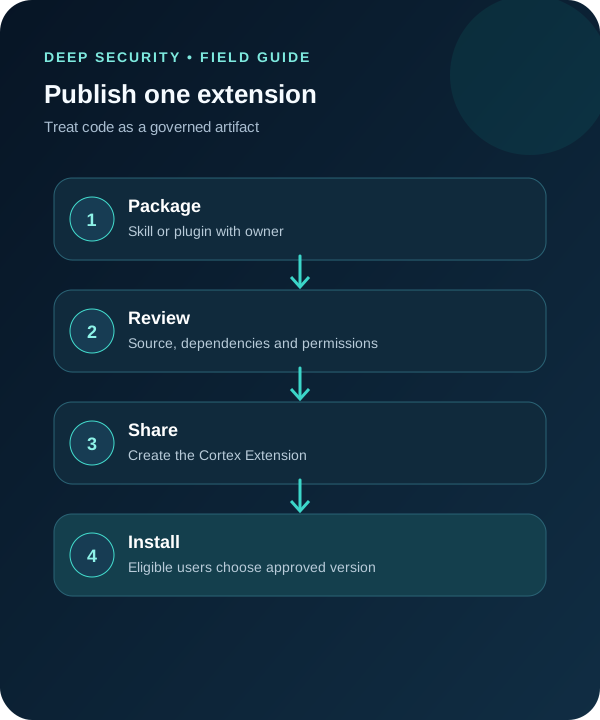
1. Choose one skill and one plugin for a bounded pilot
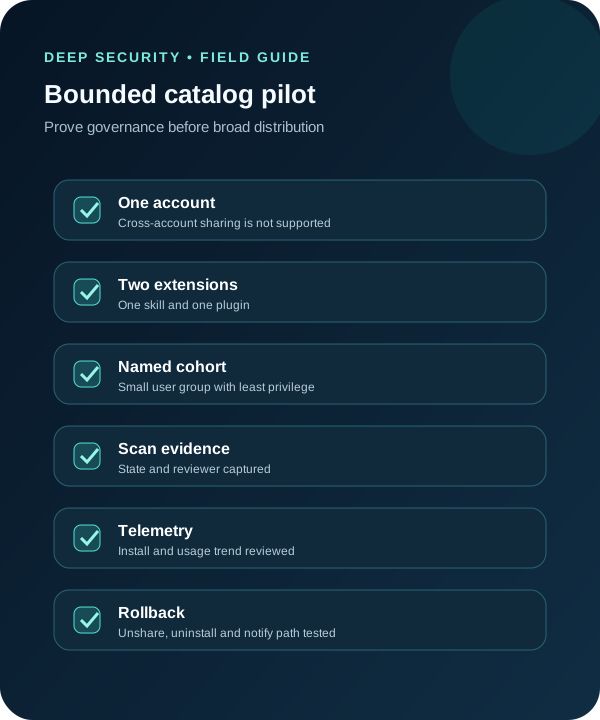
Select low-risk, high-clarity workflows: a skill that formats a security review checklist and a plugin that reads approved metadata from a nonproduction source. Avoid production write access, secrets, customer data and broad network reach in the first cohort.
Document owner, repository, purpose, expected inputs and outputs, data classification, dependencies, permissions, supported clients, rollback and reviewer. Snowflake documents limits of 100 files, 2 MiB for one file and 10 MiB total for an extension; keep the pilot smaller so reviewers can inspect the complete package.
Who can use the feature depends on account roles and granted privileges. Snowflake supports delegated administration, while ACCOUNTADMIN retains authority. Confirm current account, region, edition and commercial terms because the reviewed pages did not state a universal pricing or availability guarantee.

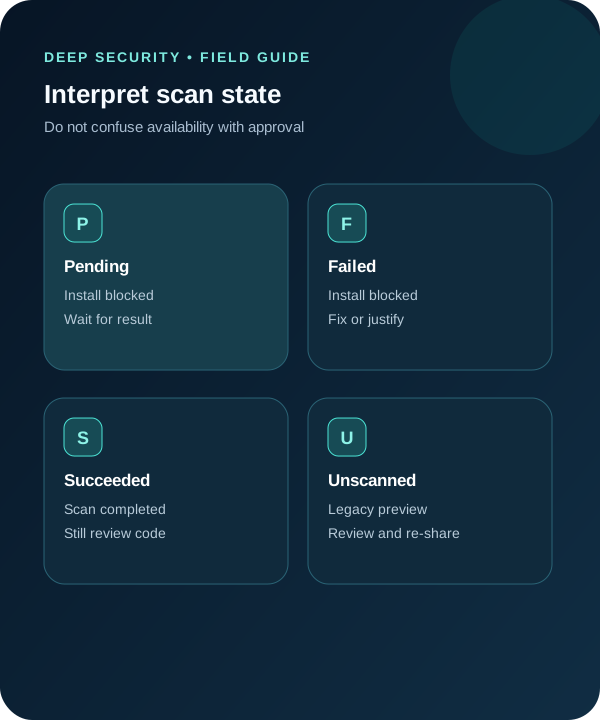
2. Treat security-scan state as a gate, not a verdict
Snowflake starts a security scan after an extension is shared. The share command can return before scanning finishes. Pending and Failed states block installs; Succeeded means the scan completed, not that the extension is appropriate for every workload.
Artifacts shared during preview may appear Unscanned and remain installable. Inventory those items, review them and re-share an approved version so legacy state does not become an implicit exception. If an administrator overrides a suspected false positive, require a ticket, code evidence, named approver, scope and expiry.
Snowflake also notes that scanning may involve automatic cross-regional code transfer. Include that behavior in data-residency and source-code handling review before sharing proprietary code.
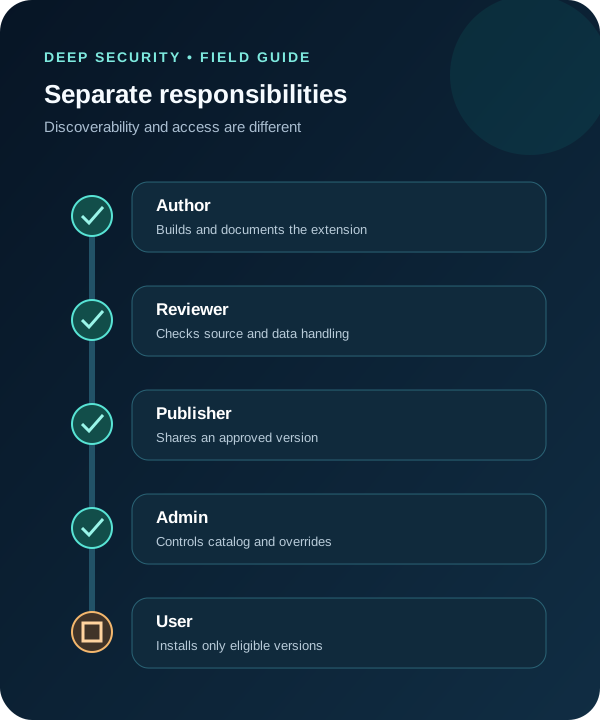
3. Separate discoverability, installation and runtime privilege
Sharing makes an extension discoverable to selected roles or the account, but discoverability does not grant every database, warehouse, secret or external integration privilege the extension might request. Map each runtime dependency to the least-privileged Snowflake object and role.
Plugins are supported in CoCo CLI and Desktop but not in Snowsight, according to the current documentation. Test the actual client used by the cohort. CoCo can select the newest or newest certified eligible version, so pin the pilot policy to an approved release and document how a later version becomes eligible.
The feature is same-account only; cross-account sharing is not supported. Do not design a partner or multi-tenant distribution process around behavior the release does not provide.
4. Run the extension against a reproducible task
For the skill, use a fixed nonproduction change description and require output fields such as threat surface, missing evidence, verification steps and reviewer. For the plugin, use a synthetic or approved metadata source and a task whose expected records are known.
Example instruction: ‘Use only the approved extension and supplied nonproduction records. Cite each source object. Do not request new privileges, modify data or call an undeclared endpoint. Mark unavailable evidence unknown and stop if the extension version differs from the approved pilot.’
Measure whether users can discover and install the intended version, whether the output contains required citations, whether undeclared access is denied, and whether uninstall or unshare removes availability as expected. These are local acceptance checks, not vendor benchmarks.

5. Use telemetry carefully and rehearse rollback
Snowflake provides install and usage counts for the last 28 days. Use them to find adoption gaps and stale catalog items, not to infer quality or business value. Local edits can stop usage from being counted, so reconcile telemetry with the approved version and cohort list.
Test the removal path: unshare the version, remove or narrow grants, uninstall from pilot clients, invalidate any dedicated secret and notify users. Preserve the evidence needed to explain which version was available, who installed it and what runtime privileges it had.
Expand only after the owner, security reviewer and platform administrator agree that source review, scan state, access, versioning, telemetry and rollback all behaved as designed.
A minimal production-readiness packet
Give the platform owner the extension manifest, source commit, review record, scan state, eligible version, role grants, data-flow note, acceptance evidence, telemetry plan and rollback result. State explicitly which results were observed in your pilot and which capabilities remain Snowflake-documented claims.
- Re-review every material version, not only the extension name.
- Do not use a scan override as a permanent approval shortcut.
- Verify client support, same-account scope and cross-regional scanning before rollout.
Put the insight into practice.
Deep Security helps organizations assess risk, validate controls, and build a practical plan to strengthen their defenses.
Talk with Deep Security