

A step-by-step pilot for Snowflake’s new AI Governance preview, covering access, account-wide usage, agent data exposure, change review, cost and preview limitations.
What changed on November 19
Snowflake released AI Governance in preview on November 19. The new account-wide Snowsight page combines Cortex Code usage, Cortex Agent usage, agent data-exposure summaries and a governance-relevant agent changelog. It complements the single-agent monitoring surface rather than replacing it.
The practical improvement is aggregation. Platform administrators and data-governance teams can start with one account view instead of opening each user or agent separately. Same-day independent coverage supplied a current attention signal, but the feature facts and limitations here come from Snowflake’s documentation.

Who can use it and what it costs
In Snowsight, open Governance & security, then AI governance. The page needs an active warehouse and its queries use that warehouse, so normal warehouse compute is billed. ACCOUNTADMIN can view it; a custom role can use imported privileges on the SNOWFLAKE database or the narrower SNOWFLAKE.USAGE_VIEWER and SNOWFLAKE.GOVERNANCE_VIEWER database roles for the relevant sections.
Usage Viewer supports Cortex Code and Cortex Agent usage metrics. Governance Viewer supports exposure metrics and the changelog through Access History. Missing access can cause only the affected card or table to show an error while the rest of the page still loads. Object tags and classification must already exist; AI Governance does not apply them.
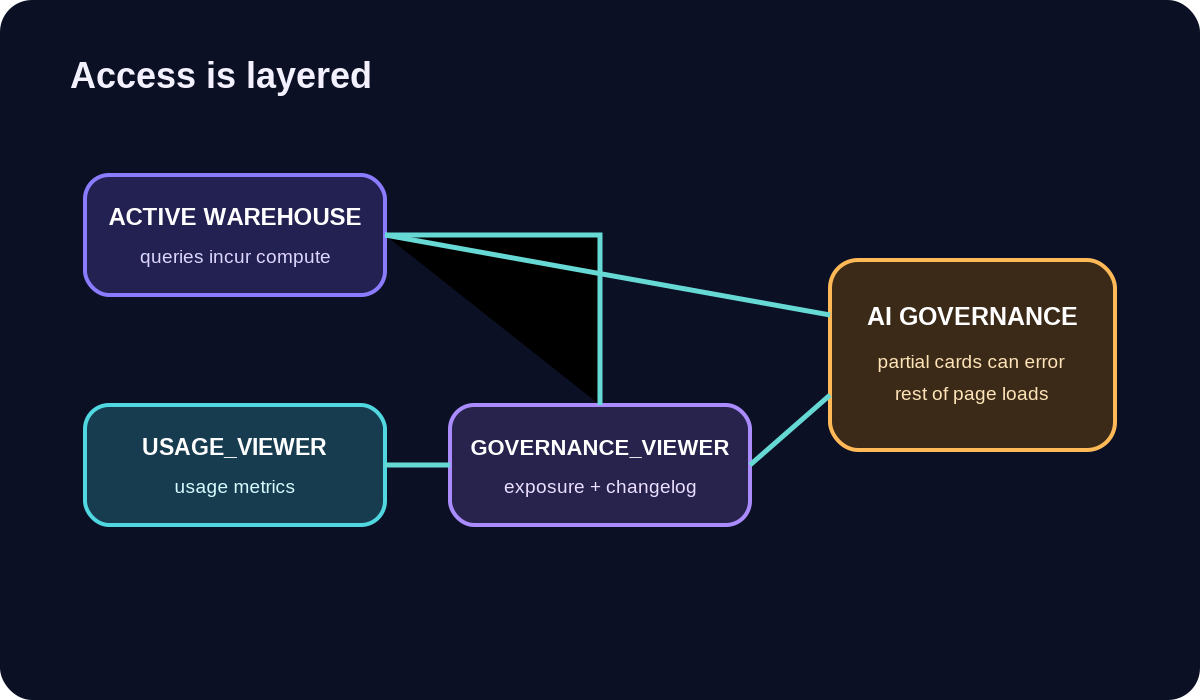
Step 1: scope a read-only pilot
Select a non-production or tightly governed account, a small warehouse with an auto-suspend policy and a reviewer role that has only the needed account-level database roles. Record the warehouse, role, pilot start, account, existing tags and who may open remediation tickets. Do not grant ACCOUNTADMIN merely to make the page load.
Capture the 7-, 30- and 90-day dashboard views for Cortex Code and Cortex Agents. Review active users, invocations, billed credits, models and client types; for agents, review missing tags, most-used agents and models, users and agents accessing sensitive data. Treat the dashboard as a lead, not a verdict.
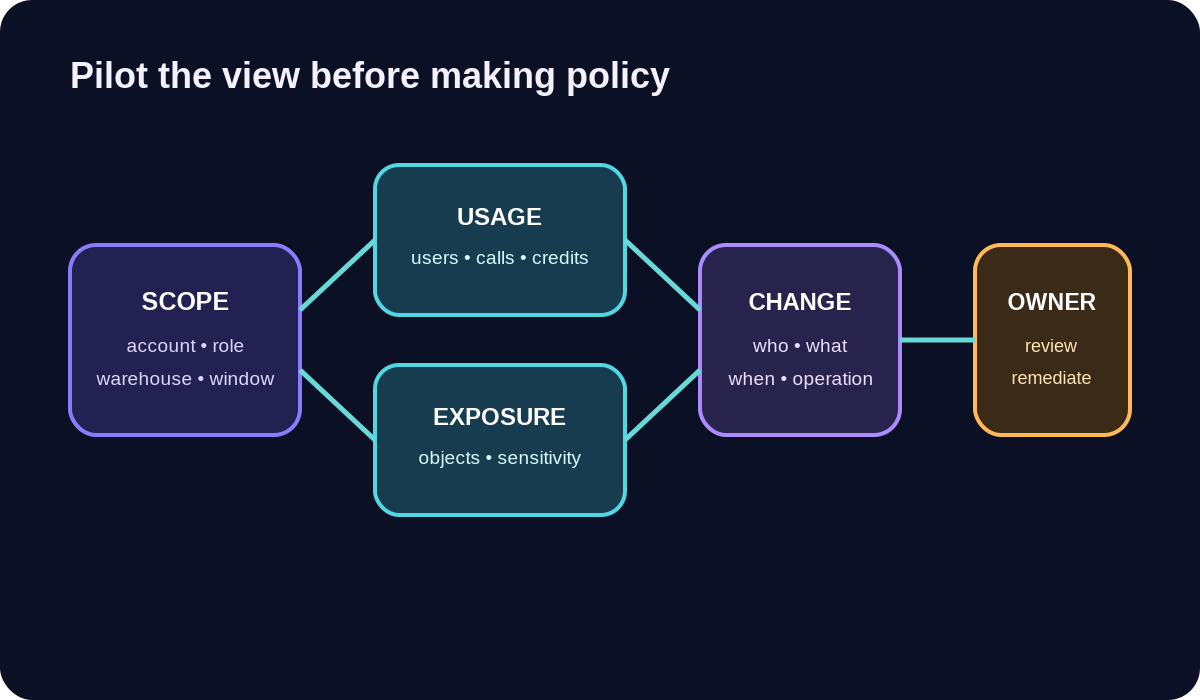
Step 2: investigate one agent end to end
On the Agents tab, filter to one agent. Review accessed objects, sensitive-object count, invocations, users and last invocation. Then switch to Changelog and identify creation, alteration or replacement events, who made each change, when and what operation occurred.
Use a review question, not an automated verdict: “Does this agent have a named owner, approved purpose, current tags, expected sensitive-data access and a reviewed configuration change?” Verify each answer against object tags, Access History, the agent definition, change ticket and owner record. The conceptual workflow is reproducible; no tenant test or performance claim is implied.

Step 3: record findings without overstating freshness
Create a ticket with the agent, owner, observed usage window, sensitive objects, tag state, relevant changes, source links, reviewer and next safe action. Before revoking access or modifying an agent, confirm the activity in the underlying account and application telemetry and obtain the service owner’s approval.
Snowflake says the data refreshes at least daily, windows align to full calendar days and agent invocation counts are deduplicated by invocation root. A recent call may not appear immediately, and a dashboard count can differ from raw rows. Preserve those caveats in the ticket.
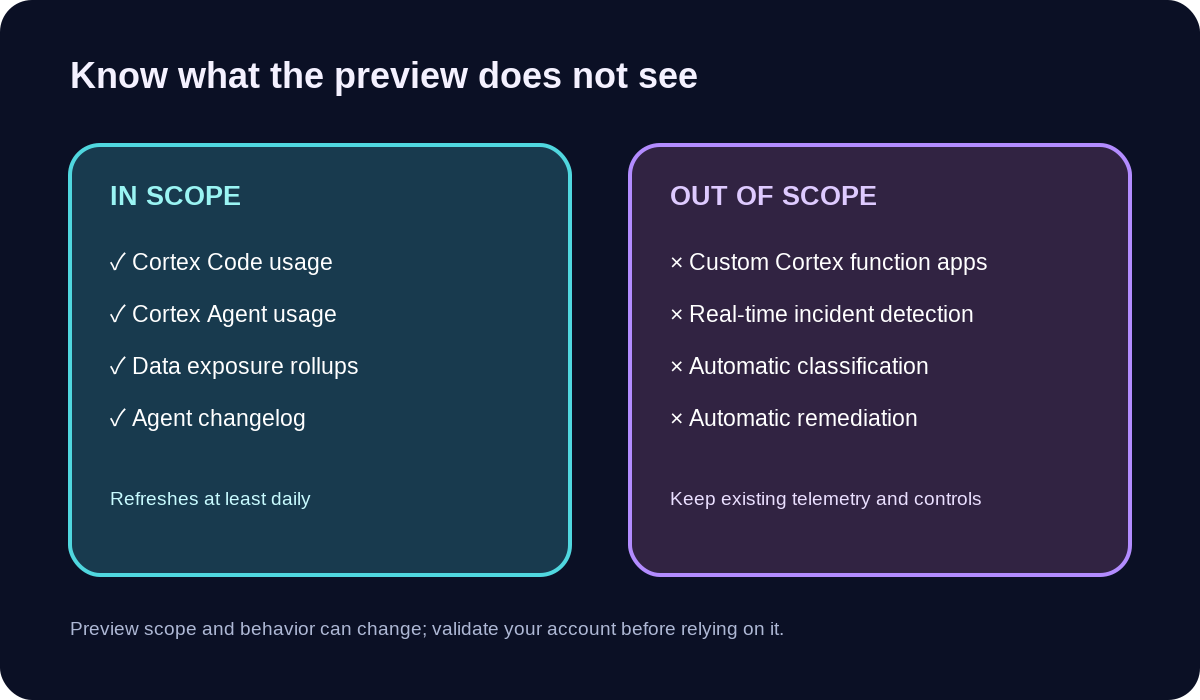
Limitations, rollback and selection signal
The preview covers Cortex Code and Cortex Agents, not custom applications built on Snowflake Cortex functions. It is not a real-time security detector, classifier or remediation engine. Preview behavior can change. If the pilot creates noisy or misleading work, remove the custom role grants, stop the warehouse used for review and keep existing monitoring and Access History queries as the source path.
A focused Firecrawl search on November 20 returned Snowflake’s November 19 release note first and multiple same-day independent and specialist articles. That establishes freshness and current public attention for an account-wide governance workload; it does not prove adoption, traffic, Google rank or business outcome.
Put the insight into practice.
Deep Security helps organizations assess risk, validate controls, and build a practical plan to strengthen their defenses.
Talk with Deep Security