

What changed in Microsoft Perception’s general release, who can use it, how consumption pricing works and a guarded pilot for one security workload.
What changed on November 17
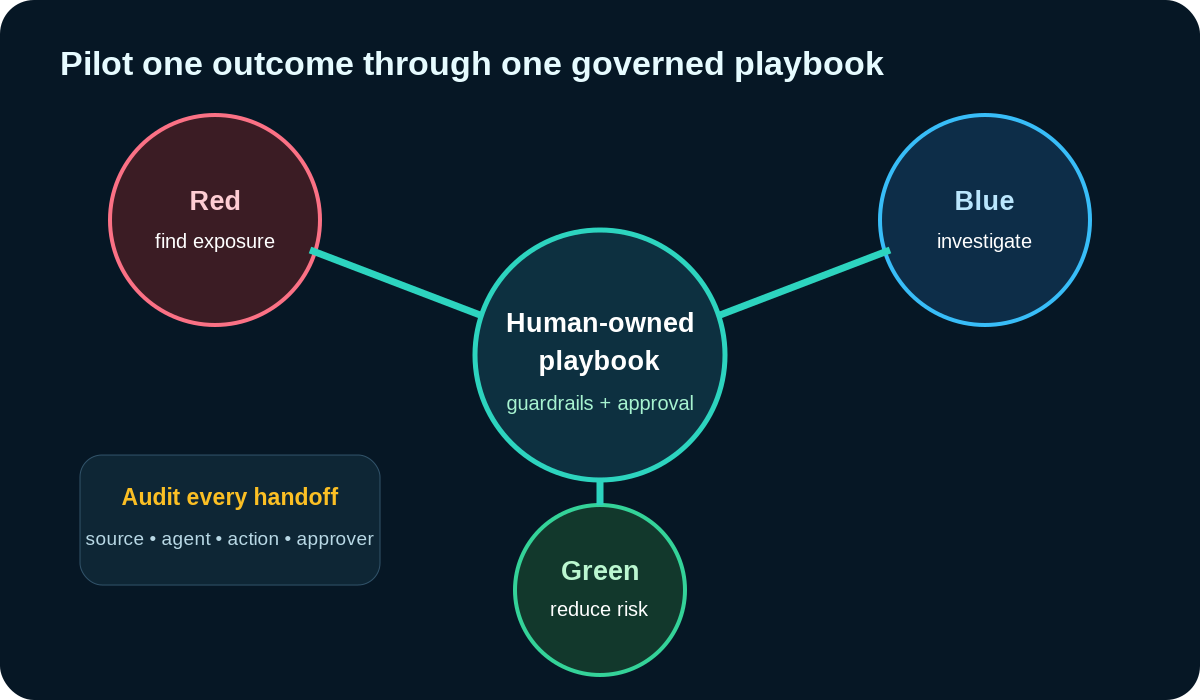
At Microsoft Ignite on November 17, Project Perception became Microsoft Perception and moved to general availability. Microsoft describes a coordinated system of red agents for exposure discovery, blue agents for triage and investigation, and green agents for risk reduction. Playbooks organize those agents around an outcome while security teams set guardrails and approve critical actions.
The status is not uniform across every capability. Microsoft’s announcement says four blue-team agents and the Recon Agent are generally available; Posture Prioritization is generally available, while Risk Reduction is in public preview and Web App Pen Test is in preview. SecurityWeek’s November 18 report independently highlighted the same split and noted that SIEM, SOAR and ITSM integrations through MCP and APIs were still preview work.

Who can use it and how pricing works
Microsoft’s product page presents Perception as generally available and says it inherits governance, uses least-privilege access, asks for approval before critical actions and logs agent activity. The page lists consumption-based purchase paths: pay as you go, an AI Flex Plan or a Microsoft Azure Consumption Commitment. It does not publish a single flat price on the page, so teams should estimate a bounded pilot in their own agreement and configure budget monitoring before enabling recurring playbooks.
Actual use depends on the Microsoft Security products, signals, agents and playbooks available in the tenant. Check licensing, regions, connectors and the status of each agent rather than assuming the Perception name makes every component GA. Cross-cloud posture playbooks may touch Microsoft, AWS and Google Cloud evidence; use dedicated identities and the smallest roles each connector needs.
Step 1: choose one low-regret workload
Start with an investigation outcome that has good evidence and low mutation risk—for example, triaging one bounded class of Defender alerts and producing a source-linked investigation packet. Define the alert type, data sources, owner, success criteria, reviewer corrections, maximum spend and rollback. Keep containment, identity changes and posture remediation out of the first pass.
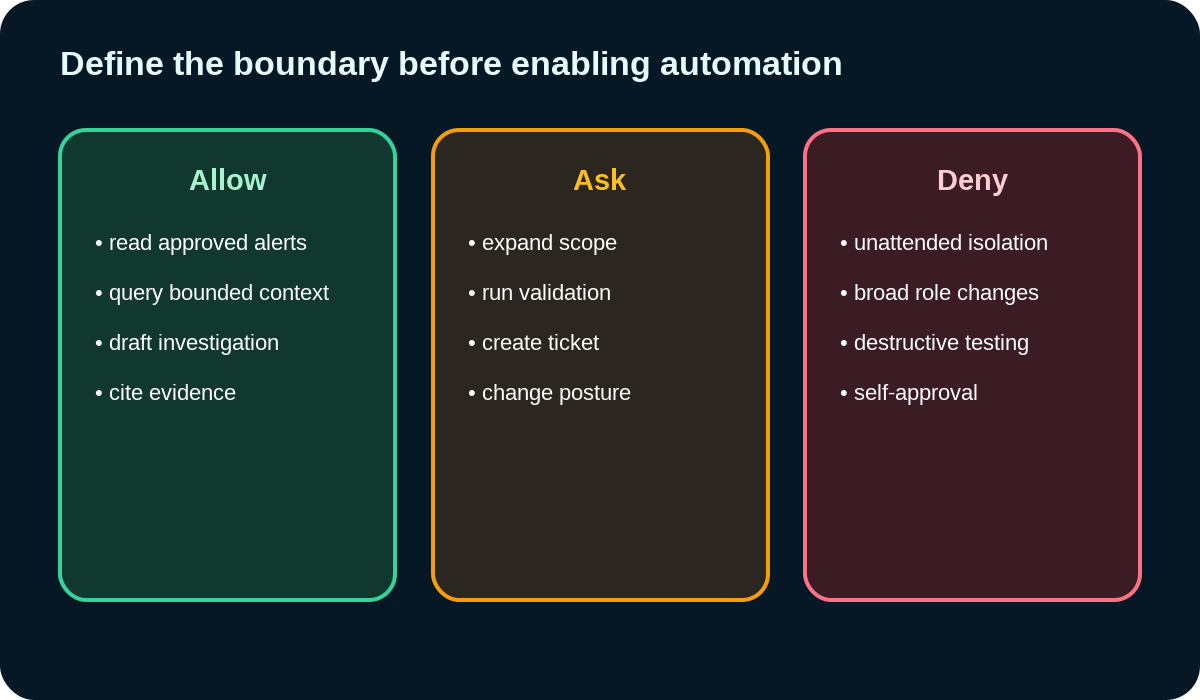
A useful instruction is: “For alerts in pilot queue P-17, use only the approved Microsoft Security signals. Build a timeline, cite each observation, label inferences and unknowns, surface contradictory evidence and recommend the smallest next read-only check. Do not suppress, close, isolate, remediate or change a policy.” Expected output is a review packet, not an autonomous verdict.
Step 2: test evidence, permissions and cost
Run the playbook on a small historical or non-production sample, then compare every claim with the original alert, entity and log records. Measure uncited claims, wrong joins, missing context, duplicate work, reviewer corrections, latency and consumption. Inspect the agent identity and confirm it cannot reach systems outside the pilot.
Test failure modes deliberately: missing telemetry, stale owner data, a shared account, conflicting signals and an unavailable connector. The playbook should expose unknowns and stop safely. If it produces confident answers without citations or keeps expanding scope, narrow the tools or end the pilot.

Step 3: bind approvals to exact actions
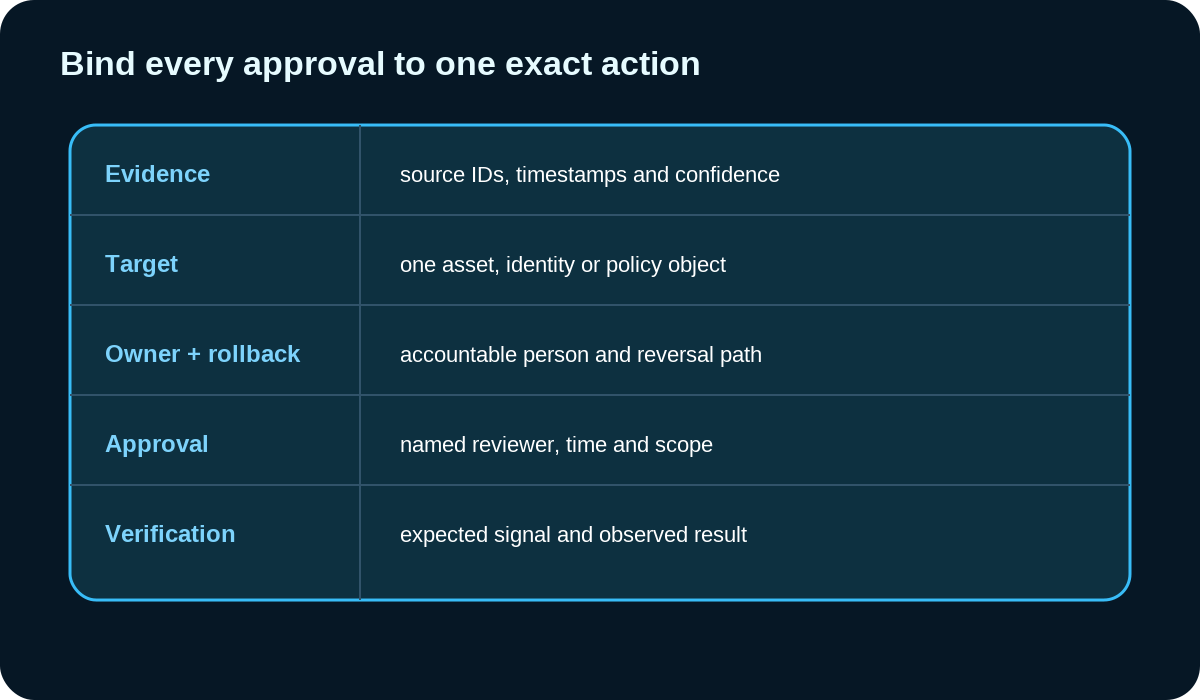
If the read-only pilot earns trust, add one reversible action behind approval. The proposal must name the exact target, evidence, expected effect, owner, approver, monitoring and rollback. Approval should expire and apply only to that action; it should not unlock an open-ended session or a broader playbook.
Export or retain the audit record that ties source evidence, agent handoffs, proposed action, human approval and observed result. A useful pilot outcome is not a vendor-reported automation percentage. It is a defensible record showing which work the agents performed, which decisions people made, what it cost and what failed.
Limitations, rollback and selection signal
Perception’s quality is bounded by Microsoft Security telemetry, identity hygiene, connector coverage and the maturity of each agent or preview. Agents can join the wrong entity, amplify stale context or recommend an unsafe fix. Preview components may change and lack GA assurances. Keep existing detections and response paths, disable the pilot playbook if behavior or cost drifts, remove its roles and retain the audit record.
Focused Firecrawl searches on November 21 returned Microsoft’s November 17 announcement and product material first, followed by several current independent reports including SecurityWeek on November 18. That establishes a newly released feature with current attention and a concrete SOC workload. It does not prove adoption, efficacy, search volume, traffic or ranking.
Put the insight into practice.
Deep Security helps organizations assess risk, validate controls, and build a practical plan to strengthen their defenses.
Talk with Deep Security