

An audit-first pilot for Microsoft Defender's preview AI agent runtime protection, with licensing checks, prompt-evidence privacy review and bounded enforcement.
What changed—and why the availability label matters
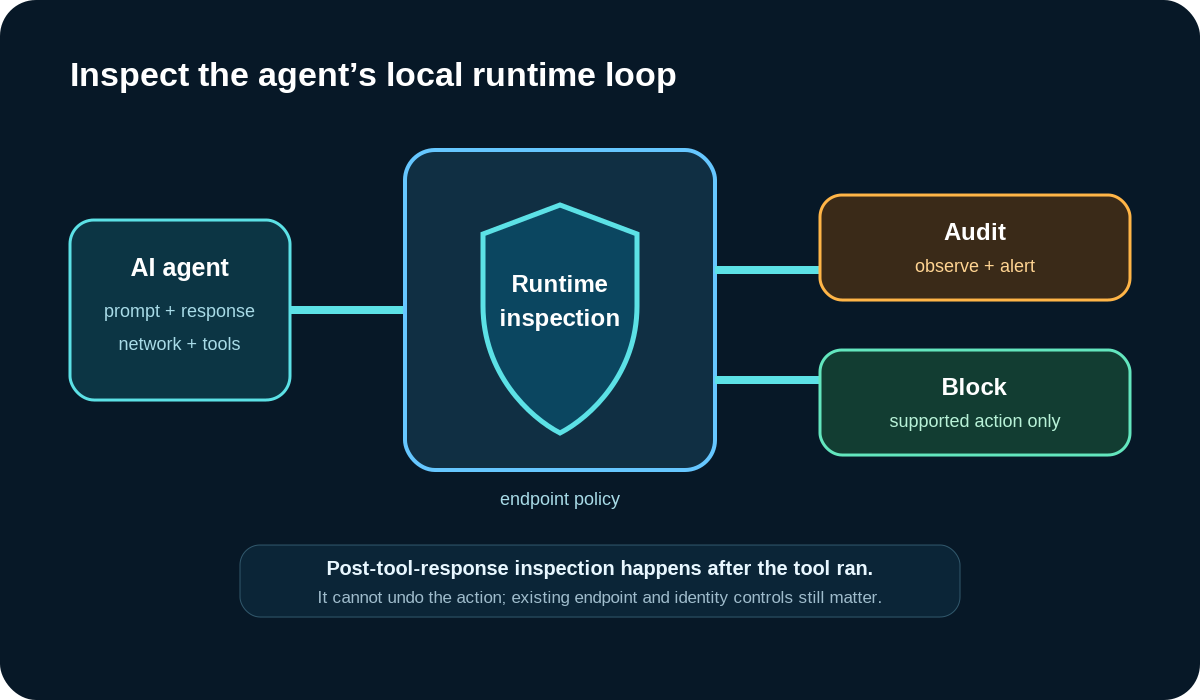
Microsoft announced expanded AI agent discovery and runtime protection at Ignite on November 17. The feature is designed to inspect supported local agent activity—including prompts, network traffic and tool use—and can be configured as Disabled, Audit or Block. This gives endpoint and SOC teams a practical place to observe agent behavior outside a browser or API gateway.
The launch post and some independent coverage described Windows runtime protection as generally available. However, Microsoft's newer setup and overview pages updated November 20 currently label runtime protection Preview and document known issues. This guide follows the current product documentation: discovery may be generally available for eligible Defender for Endpoint P2 devices, while runtime protection should be treated as Preview until Microsoft updates that status.

Check prerequisites and the evidence boundary
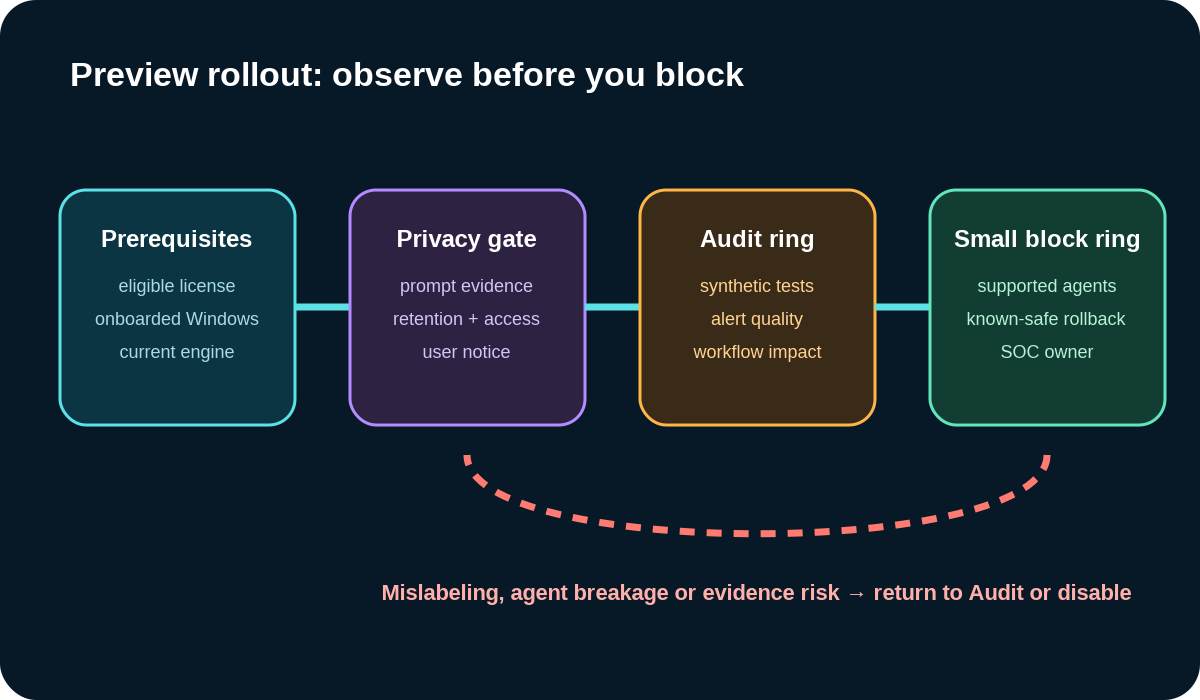
Microsoft lists Defender for Endpoint P2, Microsoft 365 E5, Microsoft Agent 365 or Microsoft 365 E7 as qualifying licenses for this configuration. The pilot also needs a supported, onboarded Windows device, Microsoft Defender Antivirus active with real-time protection and current platform and engine versions. Prompt-evidence collection has additional October 2026 platform and engine family requirements in the setup documentation.
The most important governance choice comes before policy deployment: Microsoft says prompt evidence and tool calls or arguments are sent to the cloud in their original form without redaction when prompt evidence collection is enabled. Security, privacy, legal and data owners should approve collection, access, retention and user notice. Do not test with customer, credential or regulated data.
- Pilot only supported agents from Microsoft's current support matrix.
- Use synthetic prompts and seeded tool actions on designated test devices.
- Keep endpoint, identity, application-control and network controls in place.
Step 1: deploy an Audit-only test ring
In the Microsoft Defender portal or Intune, create a dedicated AI agent runtime protection profile for a small group of test endpoints and set the enforcement mode to Audit. Keep the default Disabled state everywhere else until the pilot owner verifies policy targeting, engine health and alert routing.
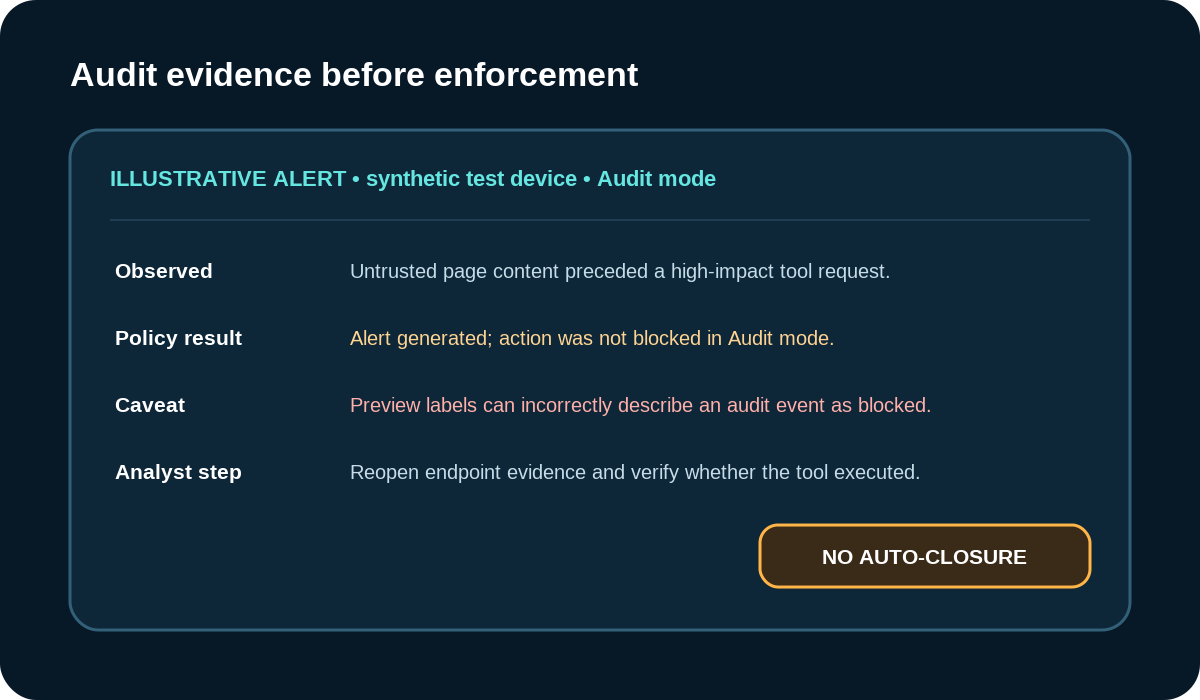
Run synthetic cases that cover trusted local work, untrusted web content, prompt injection, a harmless network request, an allowed tool call and a deliberately prohibited tool request. Expected output is an evidence packet with endpoint, agent, detection stage, policy mode, alert, observed action and analyst conclusion—not an automatic incident closure.
Step 2: verify known gaps against the source evidence
Microsoft documents that Audit mode can incorrectly describe an action as blocked. Reopen endpoint evidence and confirm whether the tool or network action actually occurred before closing an alert or reporting control effectiveness. The documentation also notes that Claude Code may continue processing a tool response after a reported post-tool-response block in Block mode.
Network inspection does not cover certificate-pinned or HTTP/3 traffic, and post-tool-response inspection happens after the tool has already run, so it cannot undo the side effect. Treat runtime protection as another evidence and enforcement layer rather than a replacement for least privilege, application control, network controls or agent sandboxing.

Step 3: consider a small, reversible Block ring
Advance only when the team can distinguish a detected condition from an action that was actually prevented, privacy owners have approved evidence handling, supported agents behave normally and help-desk recovery is ready. Create a smaller Block ring, use known-safe synthetic scenarios first and define the exact alert, agent breakage or evidence-quality condition that returns the policy to Audit or Disabled.
Track eligible and onboarded endpoints, policy application, alerts by agent and inspection stage, verified actions versus reported blocks, analyst overrides, user disruption, unsupported traffic and rollback time. These operational measures are more honest than a single prevention rate while the feature remains Preview.
Limitations and topic-selection signal
Preview behavior, support coverage and license terms can change. Current gaps include certificate pinning, HTTP/3, post-action inspection timing and documented alert-label ambiguity. Local agents can also invoke tools outside the inspected path. Verify the current support matrix and product documentation before every expansion, and never interpret an alert count as proof of prevented harm.
Focused Firecrawl research on November 27 returned Microsoft's November 17 announcement, November 20 setup and overview updates, and multiple November 20 independent Ignite analyses prominently. The older November 12 support matrix supplies necessary compatibility context. This establishes current multi-source attention, not search volume, rankings, product effectiveness or traffic to this article.
Put the insight into practice.
Deep Security helps organizations assess risk, validate controls, and build a practical plan to strengthen their defenses.
Talk with Deep Security