
A practical pilot plan for Huntress Managed ITDR's new service-principal detection and shutdown feature, including prerequisites, rollback and limits.
What changed and who can use it
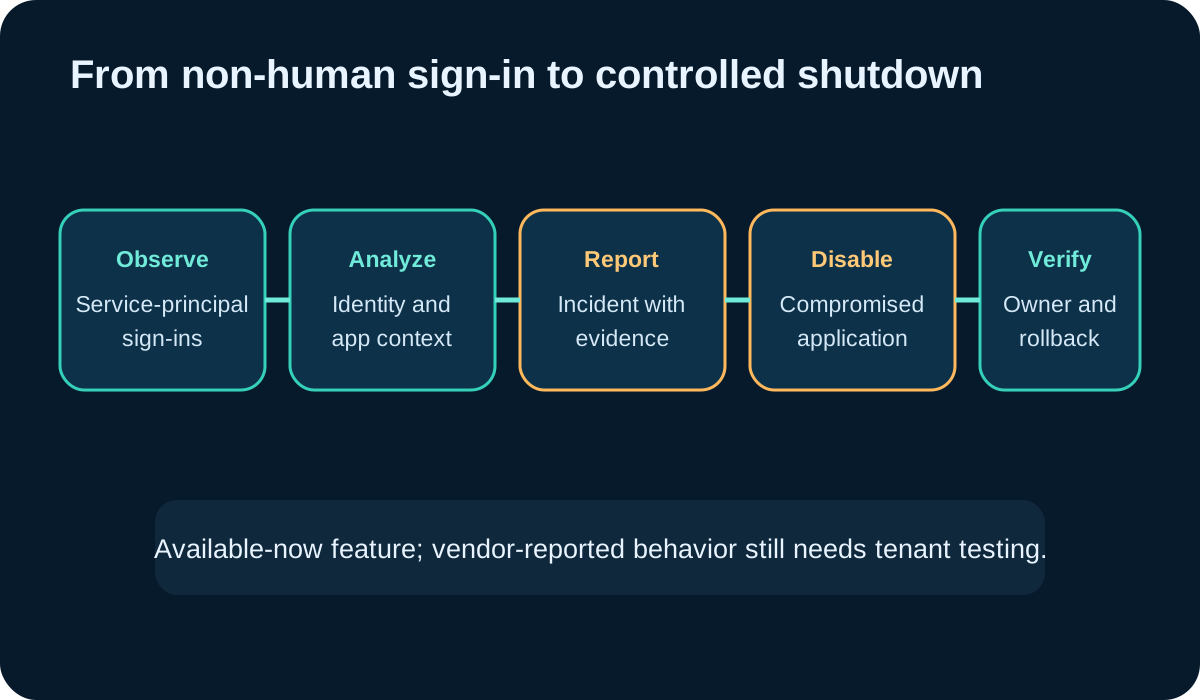
Huntress announced a set of Agentic Security Platform updates on November 5, with independent coverage on November 6. The feature covered here expands Managed Identity Threat Detection and Response to analyze service-principal sign-ins, produce detailed incident reports and automatically disable compromised applications. Huntress says it built the capability after investigating the ConnectWise/SkyKick vendor-credential compromise.
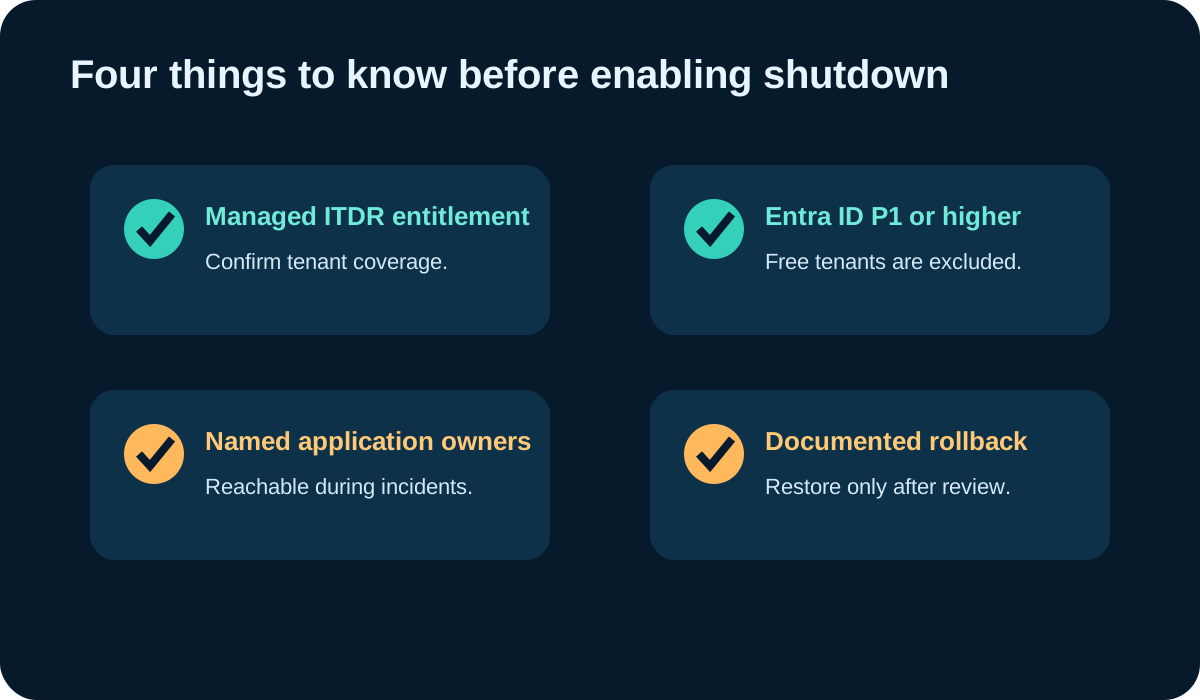
The service-principal protection is available now for Microsoft 365 tenants with Microsoft Entra ID P1 or higher and the relevant Huntress Managed ITDR coverage. Entra ID Free tenants are not included. The announcement does not publish standalone pricing; customers should confirm entitlement, tenant eligibility and contract terms with Huntress or their MSP rather than infer cost from the launch post.
This is a practical workload improvement for MSPs and internal identity teams that otherwise have to correlate non-human sign-ins, application permissions and business ownership under incident pressure. The automatic shutdown is a vendor-described capability, not a result tested by DeepSecurity.io.
Step 1: establish ownership and prerequisites
Export an inventory of enterprise applications and service principals. For each, record business owner, technical owner, purpose, credential type, permissions, last activity, dependent workflows and a recovery contact. Start with applications that can access mail, files, users or multiple customer tenants.
Confirm Managed ITDR entitlement and Entra ID P1 or higher for every pilot tenant. Document which actions Huntress may take, how incidents are delivered, who acknowledges them and who may restore an application. If an application has no owner or rollback procedure, fix that before enabling automatic disruption around it.
- Remove or investigate unused credentials and duplicate service principals.
- Prefer certificates or managed identity where the application supports them.
- Apply least privilege and review admin consent.
- Keep a break-glass contact outside the affected application path.
Step 2: build the analyst review record
Define the evidence an incident must contain before the team accepts the action: application and service-principal IDs, sign-in time, tenant, source context, permissions, observed operation, confidence, disable time and the Huntress incident reference. Map the identifiers to the application inventory so the on-call responder sees business impact immediately.
An approved AI assistant can prepare the first review, but keep it read-only. Example prompt: ‘Using the incident report and application inventory, summarize observed facts, affected privileges, dependent workflows, owner, containment already performed, missing evidence and rollback prerequisites. Separate vendor detections from our conclusions. Do not recommend re-enabling the application.’ Expected output is a cited decision brief, not an authorization.

Step 3: test disable and recovery in a noncritical tenant
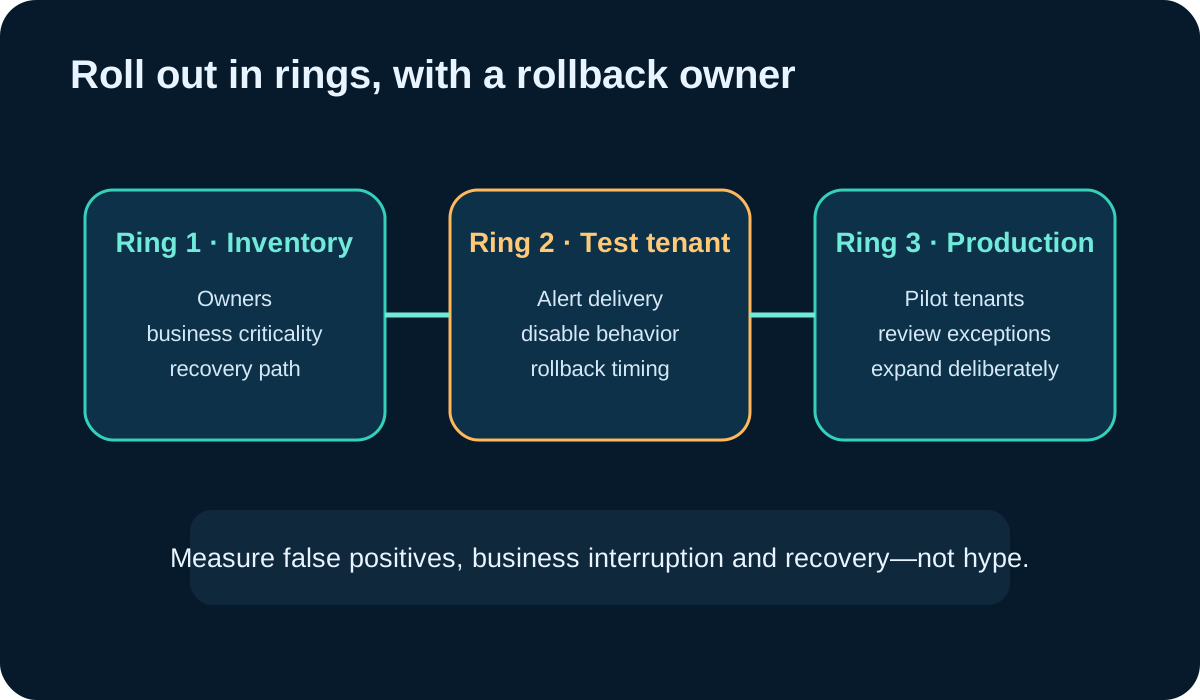
Use a test tenant or low-impact application that represents the real permission pattern. Validate that the incident reaches the right queue, identifiers match the inventory, the application is disabled as expected, dependent automation fails visibly, and the owner can follow the recovery procedure without creating a second untracked credential.
Measure time to owner identification, time to containment confirmation, false-positive disposition, business interruption and rollback completion. Do not test with a production compromise or fabricate malicious activity in a tenant without authorization. Ask Huntress how test events are supported and what behavior is safe to exercise.
Step 4: verify containment before rollback
Disabling an application can stop activity, but it does not prove that copied data, added credentials or related sessions are gone. Huntress’s October investigation warned that disabling an affected application did not remove credentials already added to it, and some directory reads may not leave an audit trail. Review the full credential set, permissions, admin-consent events and related user or workload identities.
Restore only after the incident owner documents the evidence, removes unauthorized credentials, rotates legitimate secrets where appropriate, validates the publisher and permissions, checks dependent systems, and approves monitoring for the return to service. Record why restoration is safe and who accepted the remaining uncertainty.

Limits, dates and the honest buying question
The feature is focused on Microsoft 365 and requires Entra ID P1 or higher. Independent coverage notes that some Huntress platform capabilities have separate opt-in, telemetry and release conditions; do not assume that every capability in the broader announcement is active. Brute Force Sentry is scheduled for November 18 and remote ransomware disruption for November 30, while the service-principal protection described here is reported available now.
Automated disablement does not replace phishing-resistant MFA, consent governance, credential rotation, least privilege or an application inventory. Before buying or expanding coverage, ask for the exact tenant prerequisites, actions Huntress can take, exception controls, audit export, alert routing, support for test events, rollback guidance and contract pricing. Compare the related AI-agent content-access preflight when assessing what a new non-human identity should be allowed to reach in the first place.
Put the insight into practice.
Deep Security helps organizations assess risk, validate controls, and build a practical plan to strengthen their defenses.
Talk with Deep Security