

A practical rollout for GitHub's public-preview secret scanning in Copilot security review, including opt-in steps, billing, scope limits and credential response.
What GitHub changed on November 17
GitHub announced a public preview that lets Copilot's security review specialist run GitHub secret-scanning detectors alongside its existing LLM-based analysis. GitHub says the detectors cover more than 500 secret types from a catalog built with over 150 partners, and that a fine-tuned model can use surrounding code to identify likely credentials without a recognizable provider format.
The preview is available in Copilot CLI, Copilot app sessions, Copilot SDK integrations and Copilot code review. It is off by default. GitHub says no additional plan is required for those listed Copilot experiences, but scans consume AI credits under the Secret Protection AI Credit SKU; SDK integrations have authentication requirements. These are GitHub's availability and capability claims, not independent test results.

Choose a low-risk pilot and enable it deliberately
Start with one internal repository and a small group already authorized to use the relevant Copilot experience. Exclude regulated secrets from test fixtures and never paste a real credential merely to prove detection. Use a synthetic provider test token or an approved non-secret fixture when the provider documents one.
In Copilot CLI, GitHub's launch instructions use /settings aiSecretDetection on; the Copilot app exposes AI secret detection under Experimental settings. SDK users must configure the documented authentication, and code-review users enable the preview in the applicable settings. Recheck the current documentation before rollout because preview controls, billing and eligibility can change.
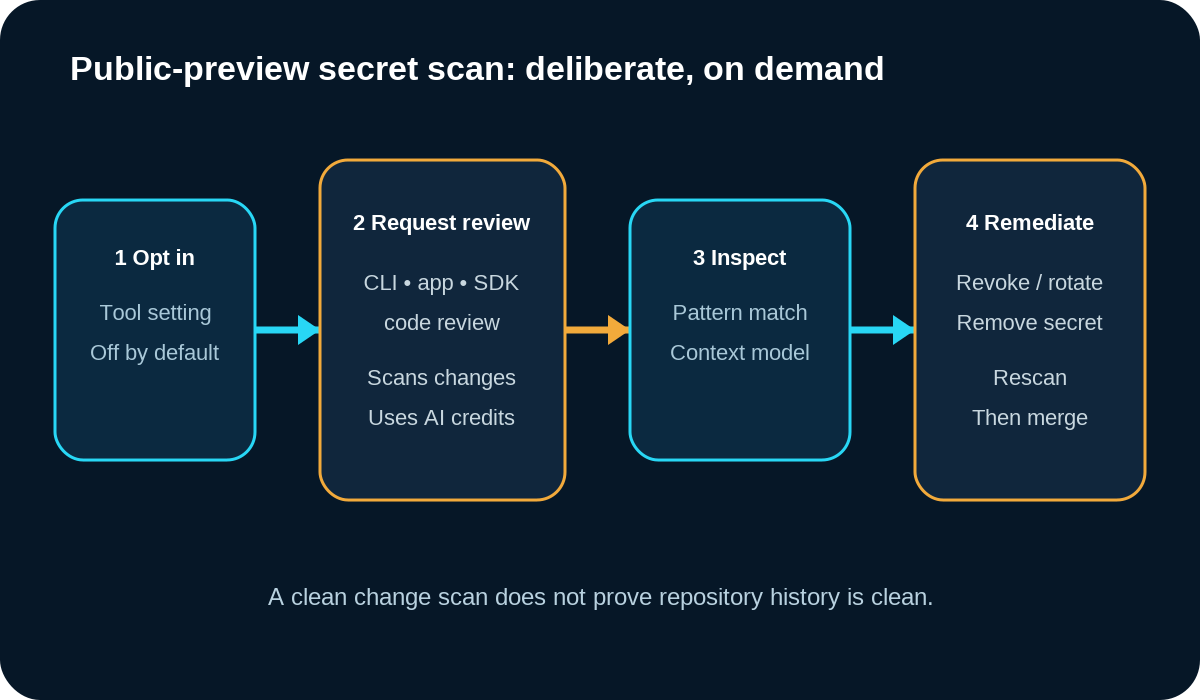
- Scope: one repository, named pilot owners and an existing incident route.
- Trigger: run security review on human and agent-generated changes before merge.
- Response: verify, revoke or rotate, remove from code, rescan and document.
- Fallback: retain repository-wide scanning and provider-side secret controls.
Step 1: review the exact change before merge
After enabling the preview, ask the security-review specialist to examine the current change. Example instruction: “Review the pending diff for exposed credentials. Report the file and changed line, detector category and why the value may be sensitive. Do not print the full value, add it to logs, modify the repository or claim repository history is clean.”
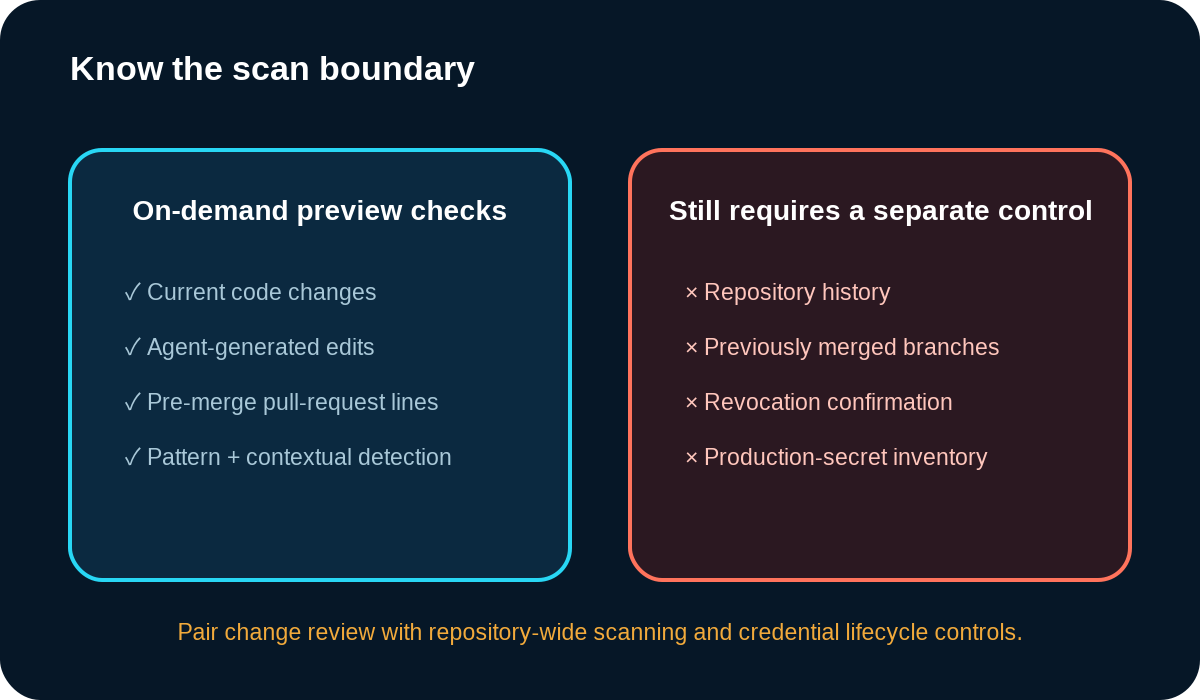
Expected output is a location and finding category that a developer can verify without reproducing the secret. The format is illustrative. GitHub says the feature checks changes; it does not search repository history. A clean result therefore applies only to the reviewed change and detector behavior at that time.
Step 2: revoke first, then remove and rescan
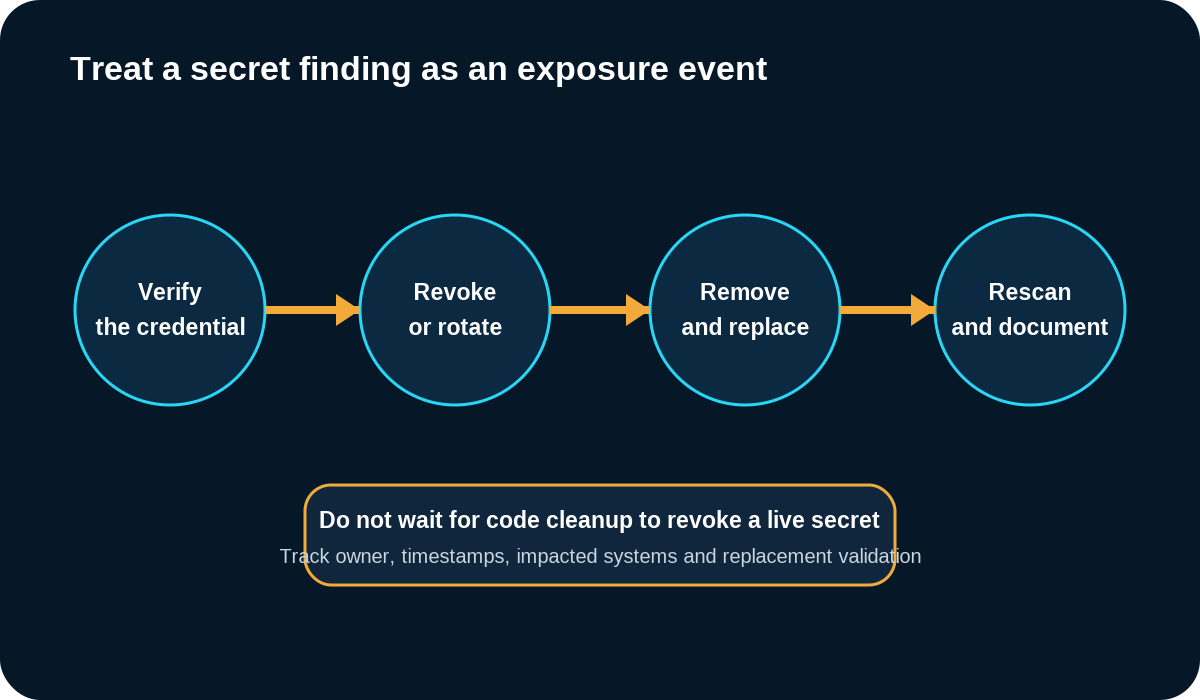
If the value is real or may have reached a remote branch, build log, pull-request notification or agent transcript, treat it as exposed. Revoke or rotate it at the provider before focusing on code cleanup. Identify dependent systems, replace the reference with the approved secret manager and verify that the old credential no longer works.
Remove the value from the change, review any generated logs or comments that may contain it and run security review again. If it entered repository history, use the organization's established history-rewrite and coordination process; do not assume deleting the current line removes prior copies.

Step 3: make the response measurable without logging secrets
Record only safe metadata: repository, pull request, detector category, finding time, owner, revocation time, rescan outcome and whether history review was required. Do not send secret values to analytics. Track confirmed findings, false positives, time to revoke, missed history cases and AI-credit consumption during the pilot.
Keep the merge decision with the repository owner and security reviewer. A detected string may be a fixture or inactive token; a missed string may still be sensitive. Provider-side revocation and monitoring remain the authoritative response for a live credential.
Limitations and topic-selection signal
No detector finds every credential, contextual models can misclassify high-entropy values and a change-only scan cannot cover history, build artifacts, chat logs or deployed configuration. Preview behavior and pricing can change. Keep repository-wide secret scanning, pre-commit controls, least-privilege credentials, short lifetimes, provider alerts and a documented incident path.
Focused Firecrawl research on November 23 returned GitHub's November 17 announcement first, plus fresh independent and release-tracking coverage. That supports current public attention and a practical secure-development workload; it does not establish adoption, accuracy, traffic, search volume or rankings.
Put the insight into practice.
Deep Security helps organizations assess risk, validate controls, and build a practical plan to strengthen their defenses.
Talk with Deep Security