

Pilot GitHub's public-preview AI application code scanning on one pull request with eligibility checks, seeded fixtures, alert review and independent security gates.
What changed on October 28
GitHub announced public-preview code scanning for AI applications on October 28. The release post describes coverage for indirect prompt injection, sensitive information disclosure, excessive agency and other AI-specific risks as coverage expands, with scans running on pull requests and mitigation guidance appearing in review.
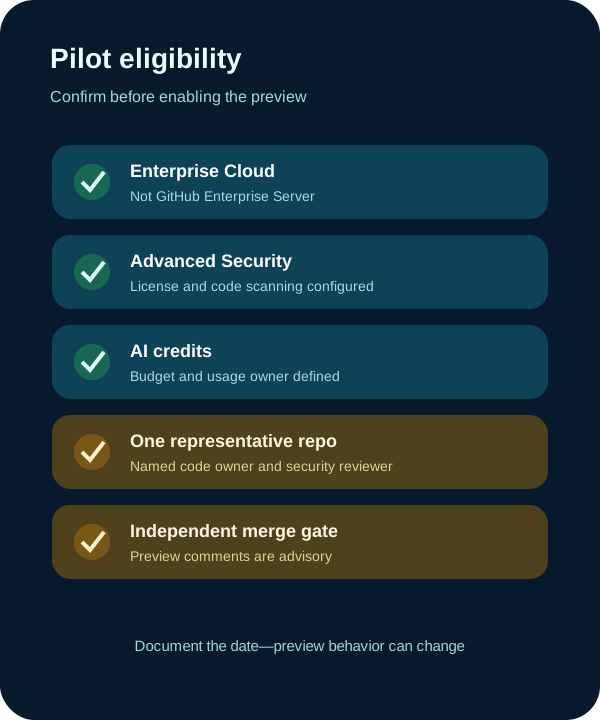
The current GitHub documentation narrows the public-preview reality: it says detection is currently limited to indirect prompt injection, findings are advisory comments that do not block a merge, and the feature uses AI credits. It requires GitHub Enterprise Cloud with a GitHub Advanced Security license and is not available on GitHub Enterprise Server.
Same-day independent roundups, including JLS42 and GitHub Universe coverage, highlighted the release. A focused Firecrawl search on October 29 returned the primary announcement, current documentation and several same-day summaries. That shows current attention, not scanner effectiveness, adoption, traffic or ranking.
1. Choose one representative AI application
Pick a noncritical repository that contains an actual model call, untrusted content path and tool or data boundary. Name a code owner and security reviewer, confirm data-handling approval, and capture the current code-scanning configuration before changing anything.
Enable the feature only through the documented enterprise, organization or repository settings. Confirm which repositories inherit the setting and set an AI-credit budget or monitoring expectation. The preview does not turn an alert into a required check by itself.
Write the threat model first: identify untrusted inputs such as documents, webpages, issue content or retrieved records; the model boundary; reachable tools and data; authorization checks; and the action that could create impact.

- Use a noncritical repository with a named owner.
- Map untrusted input to model, tool and data boundaries.
- Keep an independent merge rule and security reviewer.
2. Seed a safe fixture and open a controlled pull request
Create a minimal test branch that represents an unsafe architecture without including a working exploit, credential or production endpoint. For example, route clearly marked untrusted document text into an agent that can call a benign mock tool without an instruction boundary or authorization check.
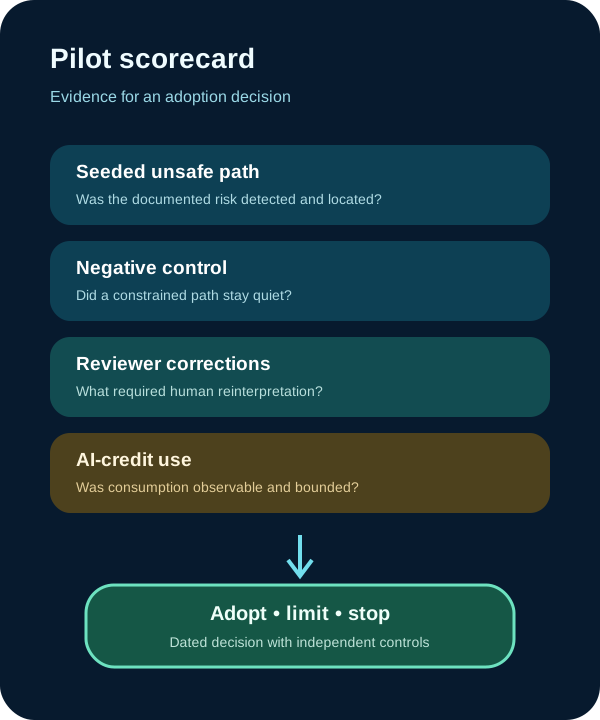
Open the pull request and preserve the scanner comment, location, explanation, suggested mitigation and scan timing. Also include a negative-control change whose untrusted input is isolated or constrained, so the team can observe whether the detector distinguishes the two paths.
Do not infer broad coverage from one alert. The release language describes additional categories as coverage expands, while current documentation says the preview only detects indirect prompt injection. Test the documented behavior and record the exact date.
3. Review the alert like a hypothesis
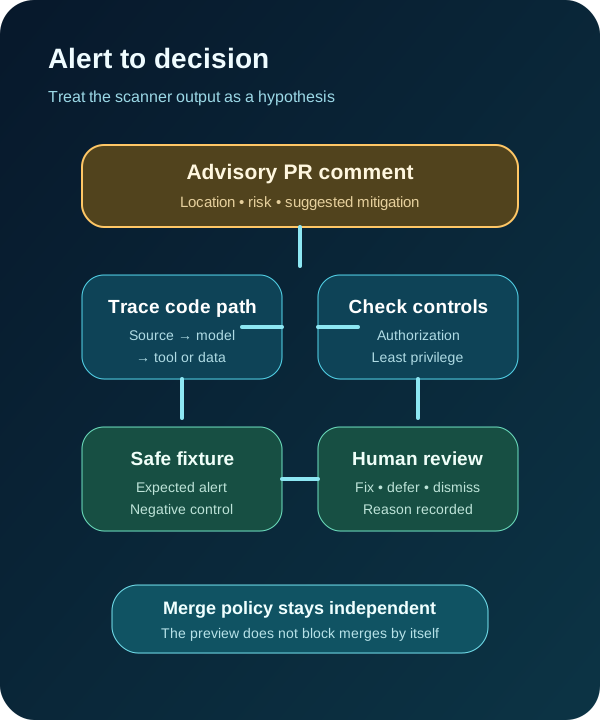
Trace the reported source and sink in code. Confirm that the input is actually untrusted, that the model can act on it, and that reachable tools or data could create impact. Look for sanitization claims that change text but do not establish an instruction boundary or authorization control.
Compare the suggested mitigation with your architecture. Useful controls can include strict tool allowlists, least-privilege identities, authorization at action time, separating retrieved content from system instructions, limiting data exposure and requiring confirmation for consequential actions.
Record false positives, missed fixtures, unclear guidance and reviewer corrections. Never publish a seeded vulnerability or internal code. DeepSecurity.io did not run this preview or measure detection quality; the steps are a reproducible pilot plan based on GitHub's documentation.

4. Decide whether the preview belongs in your gate
Run the fixture again after mitigation and after a harmless refactor. Track alert repeatability, cited location quality, reviewer time, AI-credit use and whether the recommended fix matches the threat model. Keep conventional CodeQL, tests, secrets scanning and dependency review in place.
Set preview stop conditions: uncontrolled credit use, sensitive code exposure outside policy, unstable results, uncited claims or reviewer confusion about advisory versus blocking status. Roll back the setting without weakening the repository's existing security checks.
The pilot closeout should include eligibility, configuration, test commit, safe fixture description, alert evidence, negative control, mitigation, rescans, reviewer decision and remaining AI risks. Revisit it when GitHub expands documented coverage or changes general-availability terms.
Put the insight into practice.
Deep Security helps organizations assess risk, validate controls, and build a practical plan to strengthen their defenses.
Talk with Deep Security