

Use Gemini CLI 0.64’s file-and-line references for a small maintenance patch. Understand atomic writes, state recovery, cancellation, and the checks still required.
What changed in the October release
A routine maintenance request can become hard to review when an AI assistant edits several nearby files or loses the thread during an interrupted session. For teams maintaining websites and internal applications, the useful goal is a small, explainable patch with a recoverable starting point.
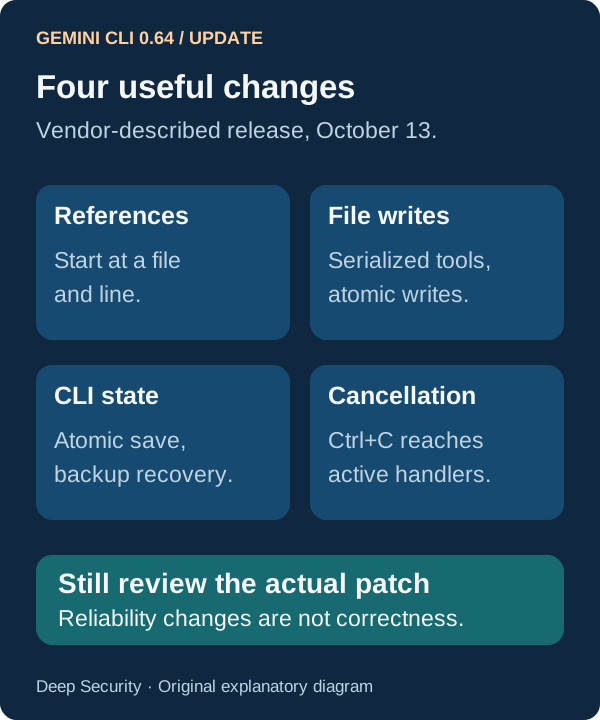
Google’s stable Gemini CLI changelog dates version 0.64.0 to October 13, 2026. It adds support for resolving @file:line references and describes serialized file operations with atomic writes, atomic CLI-state persistence with backup recovery, and more reliable delivery of Ctrl+C cancellation. The release also changes chat-history storage and terminal behavior. These are vendor-described changes; the workflow below is a proposed application, not a hands-on benchmark.
Primary documentation was checked October 20. External release tracking records the update under October 14, with first observation October 13; that provides release attention rather than independent proof of effectiveness.
1. Confirm the product and prepare a disposable workspace
Use the organization-approved Gemini CLI installation and run gemini --version to confirm the version you are evaluating. Check your authentication route, model access and usage terms with the administrator before starting. Do not assume an open-source CLI makes hosted model usage free.
The current official site says unpaid-tier and Google One users moved from Gemini CLI to Antigravity CLI on June 18, and warns that Gemini CLI is not optimized for Gemini 4 Argon. Confirm that this is the right product for your account rather than copying commands into a different client and expecting identical behavior.
Start from a clean isolated checkout of an approved repository, record its commit, and keep production credentials out. Choose one fictional example task: make invalid request-timeout settings fall back to the project’s documented default. Identify the real source file, tests and expected behavior before asking for an edit. Use the appropriate sandbox for your platform and inspect what it actually permits; sandboxing does not by itself make a repository trustworthy.

2. Use the line reference as a starting point
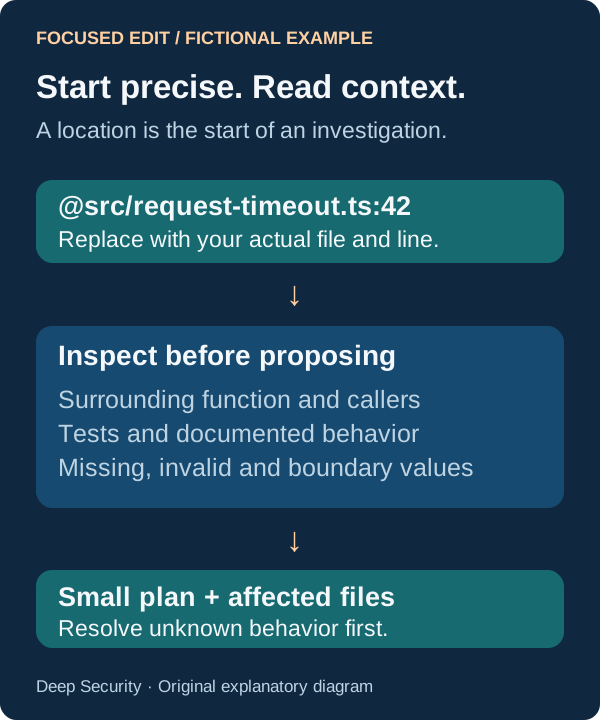
Replace the following fictional path and line with the actual location in your checkout. Suggested prompt: ‘Inspect @src/request-timeout.ts:42 and its callers and tests. Explain the current timeout behavior and the documented default, citing the files you read. Identify what happens for missing, invalid and out-of-range values. Propose the smallest change and the checks needed. Do not edit yet, assume a default, or broaden the task.’
Expected output is a source-linked explanation, an affected-file list and a test plan. Read the cited lines yourself. A precise reference helps locate the starting point; it does not prove the assistant understood the surrounding code. Line numbers also move after edits, so retain the commit and path with the reference.
Resolve any missing specification before approving a patch. For example, whether zero means disabled or invalid is a product decision. An assistant should not silently choose a different timeout contract because it looks more conventional.
3. Make one change and inspect everything it touched
After confirming the intended behavior, authorize only the agreed files and focused checks. Suggested follow-up: ‘Implement the agreed timeout behavior in the approved files. Add or adjust the relevant regression check. Show the full diff, the exact checks run, their outcomes and anything not verified. Do not update dependencies, change deployment settings, commit or publish.’
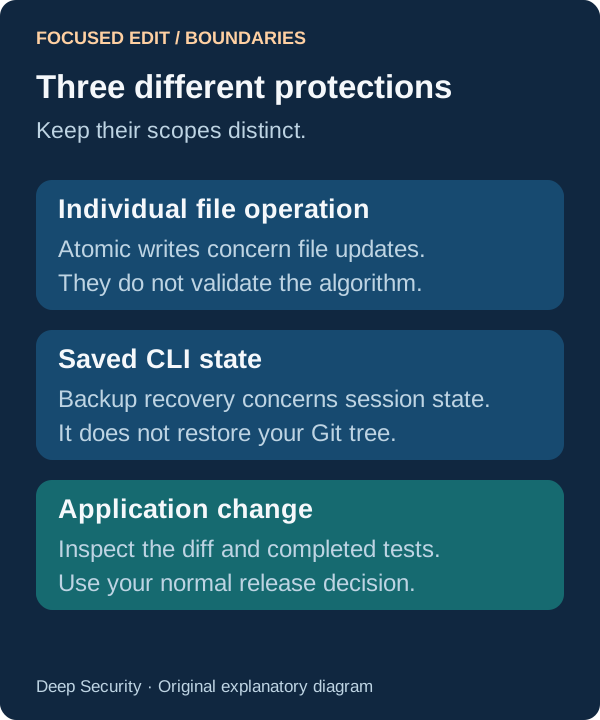
The release’s serialized operations and atomic writes address how file-tool operations are performed. They do not make a sequence of edits a single application transaction, prevent an incorrect algorithm, or replace version control. Review the entire changed-file list, including generated files, against the agreed scope.
Run the project’s actual type, build and behavior checks appropriate to the change. A proposed test is different from a passing test, and a passing narrow test may not cover a caller whose behavior changed.

4. Treat interruption as a review point
Google reports that Ctrl+C now reaches active cancellation handlers more reliably. If you interrupt a development session, inspect the actual processes and changed files before continuing. Cancellation does not establish that a tool already started had no side effects, and it does not undo completed writes.
Similarly, CLI-state recovery from backup is not restoration of your Git working tree. Keep those two recovery mechanisms separate. Read the diff, re-establish the agreed task and rerun any check whose completion is uncertain. Do not deliberately corrupt a state file or interrupt a production operation to test this article’s example.
Keep the pilot result small enough to assess
Retain the starting commit, CLI version, intended behavior, reviewed diff and actual verification results. A useful pilot leaves the next maintainer able to explain why the patch exists and how it was checked. Compare your own review effort and correction count before extending the workflow; no speed or defect-reduction figure is claimed here.
- Start at a precise file and line, then inspect the surrounding behavior.
- Keep the editing scope and evidence of completed checks visible.
- Use the existing human-reviewed release process for any production change.
Put the insight into practice.
Deep Security helps organizations assess risk, validate controls, and build a practical plan to strengthen their defenses.
Talk with Deep Security