

Turn security findings into an evidence-linked remediation plan with Copilot in Excel. Includes practical prompts, validation checks, and a management summary.
Make the assessment useful after the scan
A security assessment can leave an IT team with a long export and an immediate question: what should we do next? Someone needs to organize the findings, connect them to the affected systems, collect missing context, and prepare a plan that owners can actually review. That preparation is a practical AI workload.
This guide proposes using Copilot in Excel to build a draft remediation workbook. It fits assessment follow-up, vulnerability management, and managed IT reporting. You need an approved scan export, Excel with an eligible Copilot experience, permission to use the data, and a reviewer who understands the environment.
Microsoft’s September 25, 2026 announcement put editable Office work at the center of its broader Copilot plans. The current Excel guidance describes workbook editing, analysis, and planning modes. We reviewed those sources on October 18 and expanded our research window to 30 days; this is a current workflow guide, not a claim of a new October feature launch or a hands-on product benchmark.

1. Preserve the source and define the output
Keep the original export unchanged in the approved system of record. Work from a copy and use only the fields needed for planning. Remove credentials and unnecessary personal or customer details before using an AI service. Follow your organization’s data-handling rules and inspect externally supplied files before opening them.
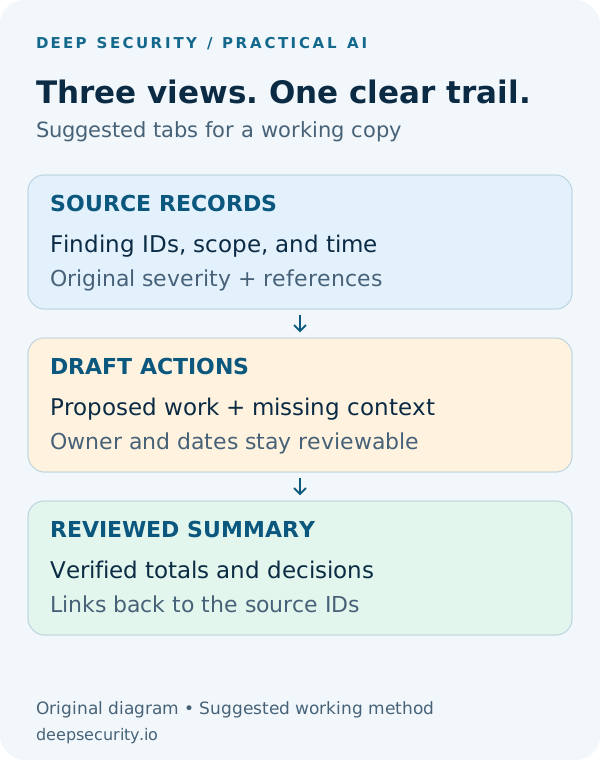
Create a clearly named source table and a separate draft action table. Preserve stable finding IDs, the affected asset or control, original severity, evidence reference, and assessment time. Add planning columns for proposed action, missing information, owner, target date, and validation method. An absent owner or date should remain unassigned or not agreed.
The diagram shows a suggested workbook structure. It is not an Excel screenshot or an assertion that a particular scanner exports these exact fields.
2. Ask for a plan before editing
Microsoft documents plan and chat-only options alongside editing in Copilot in Excel. Check what your own account and platform expose; subscription and organization settings affect access. Begin with an explanation of the proposed transformations, then allow edits only in the working copy after review.
Suggested prompt: “Using only the source table, propose a draft action register. Carry forward each finding ID, original severity, asset, assessment time, and evidence reference unchanged. Add proposed action, missing context, owner, target date, and validation method. Do not invent owners, dates, business impact, exploitability, or remediation results. Show the plan and ambiguities before changing the workbook.”
Ask it to name any column it could not map reliably. A scanner’s status label, severity, and assessment coverage can mean different things. Keep their original meanings rather than treating every blank field as a failure or every low score as a confirmed vulnerability.

3. Group work without losing evidence
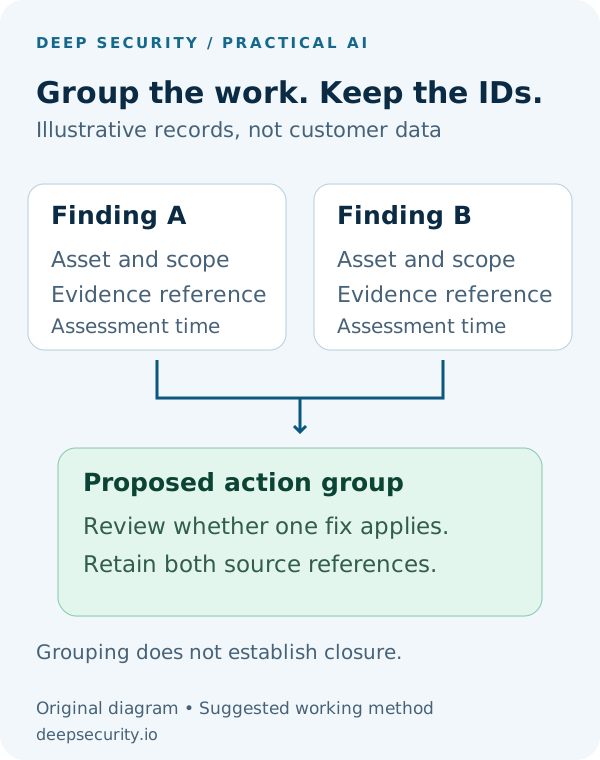
Related findings may share one remediation action, but grouping must not erase their individual scope. Keep every original row and reference, and add a separate action-group ID when a reviewer agrees that the same fix addresses them.
For a fictional example, two records might describe one missing setting on the same asset at the same assessment time. They may belong in one action group. A similar record from another asset or a later scan still needs its own evidence and status. Ask for a proposed grouping and the reason for each association, then check those associations.
Leave priority as a proposal until the reviewer considers exposure, business importance, compensating controls, and change constraints. Preserve the scanner’s original severity even when the organization chooses a different delivery order.
4. Reconcile the workbook before using its summary
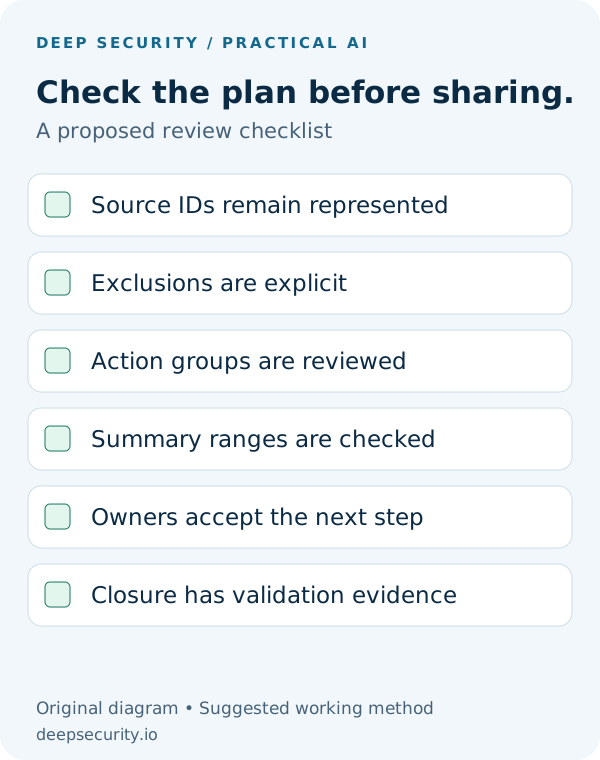
Check the draft against the export. Every source finding should still be represented. If a row is excluded or grouped, its disposition must be explicit. Review uncertain mappings and test representative formulas against the underlying rows.
Ask Copilot to list the checks it performed, but verify the important results yourself. A polished chart is not evidence that the range includes all findings. Confirm filter state, hidden rows, date boundaries, and whether the summary is counting raw records or action groups.
Suggested validation prompt: “Reconcile source IDs to draft actions. List omitted IDs, ambiguous mappings, and groups with different assets or assessment times. Show the source range and calculation for every summary total. Do not change a finding to resolved unless the supplied validation evidence supports that status.”
5. Prepare a short management handoff
Once the draft is checked, ask for a concise summary of the decisions people need to make. Identify the important action groups, their evidence references, what remains unassigned, and the context still needed. Use readable status labels as well as color.
Suggested prompt: “Draft a one-page management summary from the reviewed action table. Explain the main issues in plain language, link each issue to its source IDs, and separate agreed actions from decisions still needed. Include unassigned owners, dates not yet agreed, and validation gaps. Use only verified totals and explain whether they count findings or action groups.”
The output should help the team discuss next steps. It should not imply that a report writer has accepted risk, approved a change window, or completed remediation. Those decisions belong in the organization’s existing workflow.

Start with a small pilot and measure the result
Try the workflow with one authorized, sanitized assessment whose findings a reviewer already understands. Compare the preparation effort, missing records, incorrect groupings, and corrections against the existing process. Keep the prompt and the checked workbook structure so the next assessment can be handled consistently.
The practical deliverable is an evidence-linked draft register and a clear management handoff. This article reports no measured time saving or detection improvement. Its value is a repeatable way to organize the work without allowing presentation quality to substitute for verification.
Put the insight into practice.
Deep Security helps organizations assess risk, validate controls, and build a practical plan to strengthen their defenses.
Talk with Deep Security