

A practical workflow for using an SRE agent to correlate alerts, changes, logs and tickets into a cited incident impact packet while people retain every production decision.
Why an evidence packet is timely
Microsoft’s November 17 Ignite update moved Azure SRE Agent into more of the places where incident work already happens. Teams integration, Microsoft Entra Agent ID, agent-to-agent collaboration, AWS and Google Cloud connectors, Azure Container Apps, Azure CLI and Grafana integrations were announced in public preview; Slack was described as private preview. Microsoft says changes that could affect production can wait for an authorized approver and that the agent remains inside assigned Azure RBAC permissions.
Fresh independent Ignite coverage on November 17 also highlighted the cross-cloud and IT-operations direction. That current attention makes the practical question more useful than another feature list: how can an operations team use an agent to build a defensible incident impact packet without handing it an unattended remediation path?

Set the boundary before the incident
This workflow fits SRE, cloud operations, platform engineering and security teams that already have alerting, deployment records, logs, traces, tickets and a named incident commander. Connect only the systems needed for the pilot, use a dedicated managed identity, and assign the narrowest Azure RBAC roles that support read-only investigation.
Configure each available tool as allow, ask or deny according to risk. Keep deployment, scaling, firewall, identity and data-changing actions behind ask or deny. Microsoft documents managed identity, RBAC, tool-level policies and infrastructure-as-code deployment, but the exact controls and preview availability must be checked in the tenant.
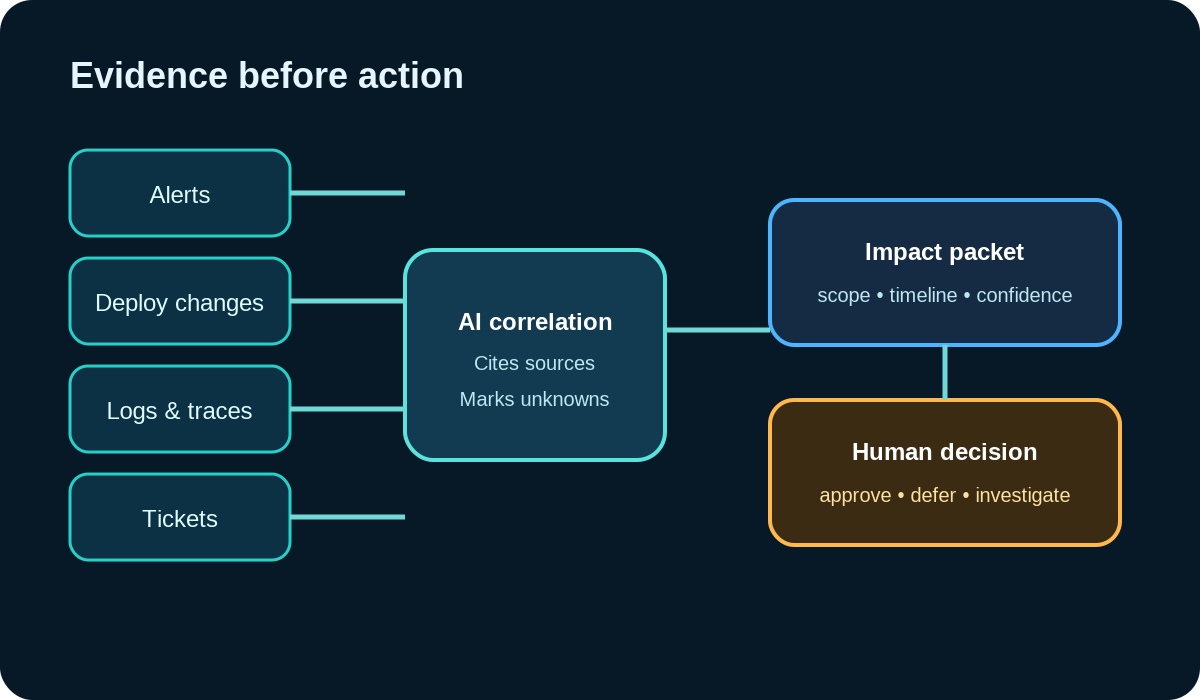
- Read: alert metadata, change records, approved runbooks and bounded log queries.
- Ask: any query that expands scope or touches sensitive data.
- Deny: production mutation until a tested approval and rollback path exists.
- Record: prompt, sources, agent identity, reviewer and final decision.
Step 1: ask for a bounded impact packet
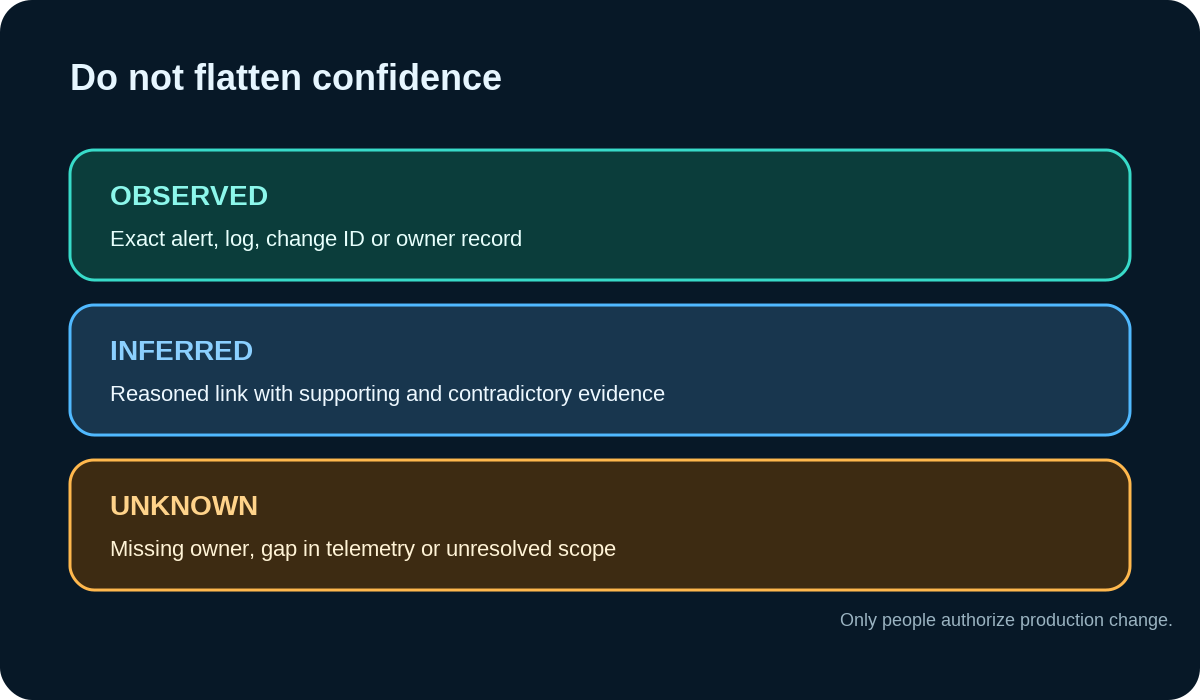
Start with an incident ID, time window, affected service and approved data sources. Example prompt: “For incident INC-204, use only the linked alerts, deploy log, service traces, CMDB record and ticket history from 14:00–15:00 UTC. Build a timeline; list affected and possibly affected dependencies; cite the exact source ID and timestamp for every observation; label each statement observed, inferred or unknown; show contradictory evidence; and propose the next read-only query. Do not change production.”
Expected output is a compact packet with scope, timeline, likely customer or internal impact, changes near onset, dependency evidence, unknowns and next safe query. It is an illustrative format, not a tested Azure SRE Agent benchmark.
Step 2: challenge the packet before action
Have the incident commander or service owner compare the packet with the original systems. Reject uncited claims, invented causal links, queries outside the incident window and merged identities. Ask the agent to list what evidence would disprove its leading hypothesis, not merely what supports it.
A useful second prompt is: “Show the strongest alternative explanation, the evidence that contradicts the leading hypothesis, and the smallest read-only check that separates the two. If the available sources cannot decide, say unknown.” That forces the packet to expose uncertainty rather than produce a confident narrative.

Step 3: use an approval ladder
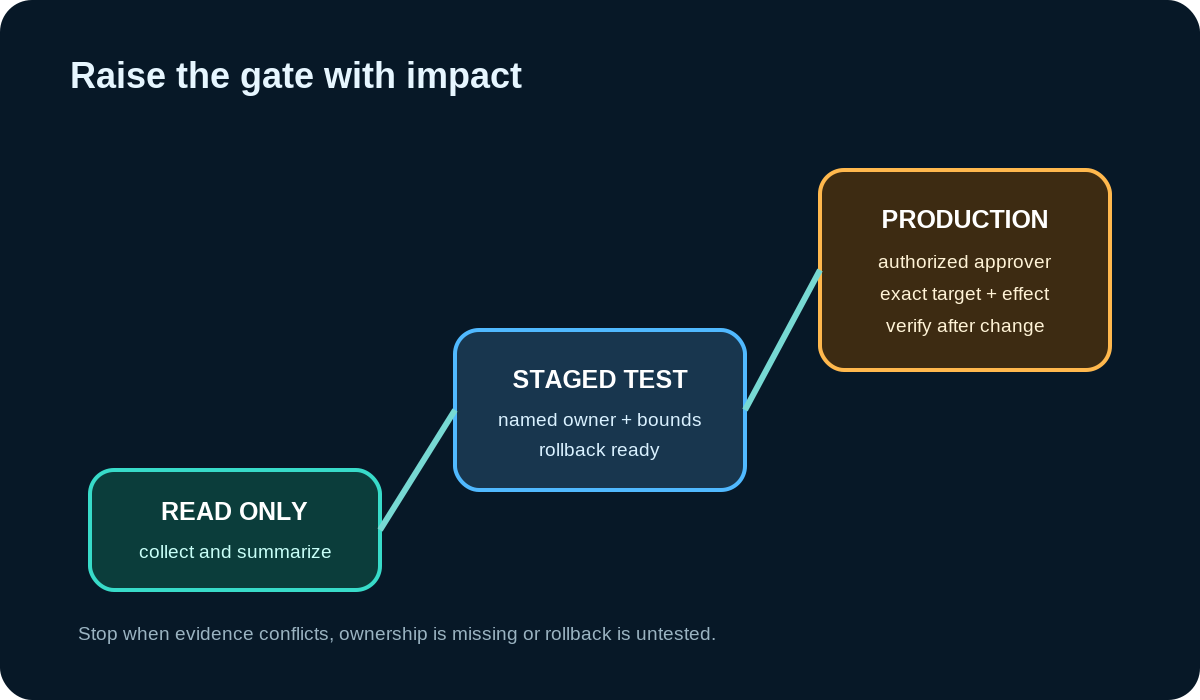
Read-only evidence collection can stay inside the agent’s assigned permissions. A staged test needs a named owner, exact target, expected effect, monitoring and rollback. A production change needs an authorized approver who has read the evidence and can stop or reverse the action. Approval should bind to one proposed action, not grant an open-ended session.
After any approved change, verify the intended signal, watch for collateral impact and attach the result to the incident record. If the effect cannot be measured or rollback is not ready, defer the change.
Limitations, availability and selection signal
Preview integrations can change, be region- or tenant-limited and lack the operational assurances of generally available services. SRE Agent only sees connected evidence; stale CMDB entries, missing logs, clock skew and shared identities can produce a polished but wrong packet. Retained operational context may help recurring incidents but can also carry forward an outdated assumption, so cite current evidence and keep a manual investigation path.
A focused Firecrawl search on November 20 returned Microsoft’s dated announcement first and multiple fresh independent Ignite articles from November 17–19. That is a current public-attention signal and the workflow directly matches Deep Security readers running cloud and incident operations. It is not proof of search volume, adoption, traffic or ranking.
Put the insight into practice.
Deep Security helps organizations assess risk, validate controls, and build a practical plan to strengthen their defenses.
Talk with Deep Security