

A practical guide for producing evidence-linked morning, launch and meeting briefs while limiting an AI assistant’s access, actions and retention.
Why proactive assistants have current attention
OpenAI published a Holiday Extras customer story on November 16 describing internal assistants—called dots—that prepare reports and reminders without a new prompt each time. The examples include an assistant pulling Google BigQuery data after a feature launch, surfacing people who might be affected by API-key retirement, preparing meeting context during a commute and finding decisions in earlier conversations. Holiday Extras also describes broad access to Slack, inbox, Drive, a laptop and creative tools.
StartupHub covered the story the same day and highlighted the tradeoff: access to useful company data improves the brief but increases the consequence of excessive permissions. The reported time savings and employee reactions are company claims in a vendor customer story, not outcomes Deep Security tested. The transferable use case is a governed evidence brief—not a license to let an assistant observe everything an employee can.

Audience, tools and the smallest useful brief
This pattern fits operations leaders, product teams, customer-success managers, security program owners and administrators who spend the start of a day or meeting gathering the same signals. A pilot needs a named brief owner, approved connectors, a read-only retrieval layer, sensitivity labels, a scheduler or event trigger, source links, logging and a place for human feedback.
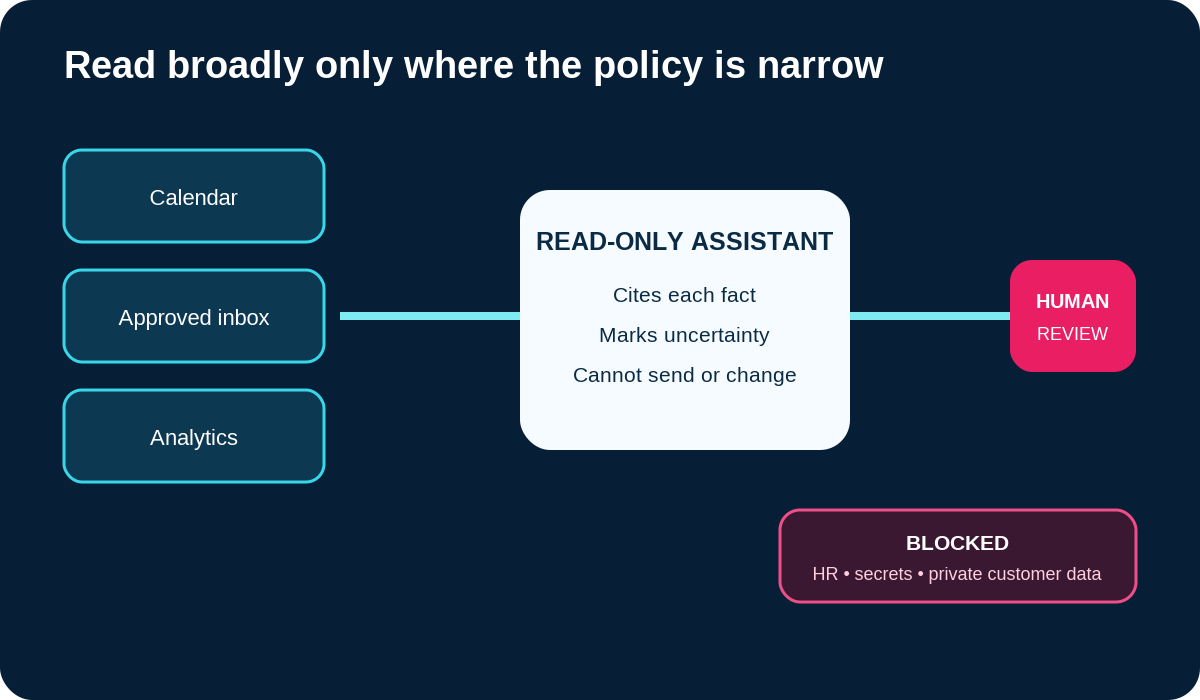
Choose a draft that helps someone decide what to inspect next: a launch-health brief, meeting preparation packet, overdue-risk summary or morning operations digest. The assistant may retrieve, compare, summarize and flag uncertainty. It may not send messages, change records, rotate keys, approve customer communication or decide that an incident is closed.
Step 1: define the trigger and evidence window
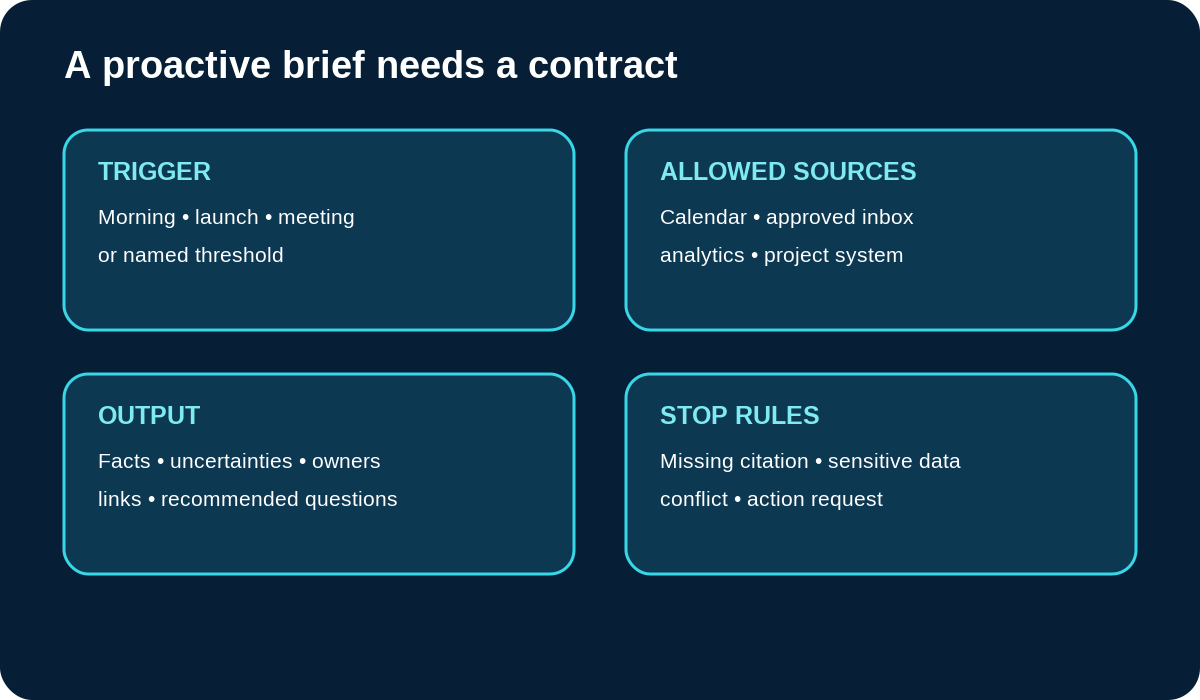
Name the exact trigger: 7 a.m. on workdays, two hours before a scheduled meeting, after a tagged release or when an approved metric crosses a documented threshold. Define the evidence window and timezone so the assistant does not mix an old decision with current state.
List the sources and fields the brief can use. Prefer a service account or delegated read-only scope over an employee’s full account. Exclude HR, legal, private customer, authentication-secret and personal folders unless a separate approved use case requires them. A useful brief can be narrow.
Step 2: specify a source-linked output
Example prompt: “Prepare the 8 a.m. launch brief for release R-218 using only the approved calendar, release channel, incident queue and analytics view from the last 24 hours. Return five sections: confirmed changes, unresolved alerts, customer-impact evidence, owners and questions for review. Link every fact to a source record and timestamp. Mark conflicts and missing data. Do not send a message, change a record, expose restricted fields, infer a person’s intent or declare the launch healthy.”
Expected output is a short review packet with citations, freshness and uncertainty—not an executive-sounding narrative. Put the most consequential unresolved item first. Separate observation from recommendation, and show what source would be needed to resolve a gap.
- Fact: source ID, timestamp and exact field.
- Inference: labeled and tied to the facts that support it.
- Question: named owner and evidence needed.
- Action: proposed only; never silently executed.
Step 3: review permissions as the brief evolves
A request for a better brief often becomes a request for more access. Review each new connector, folder and tool as a separate change. Record why it is needed, what fields are exposed, retention, whether prompts or outputs leave the organization and how access is revoked.
Use temporary or workload-bound tokens, prohibit sending and editing, and alert when the assistant queries outside the contract. Treat local creative or desktop tools as a separate risk class from cloud retrieval. The Holiday Extras story describes access to a laptop, After Effects and Rive; another organization should not copy that scope without its own security and privacy review.

Step 4: measure usefulness and correction
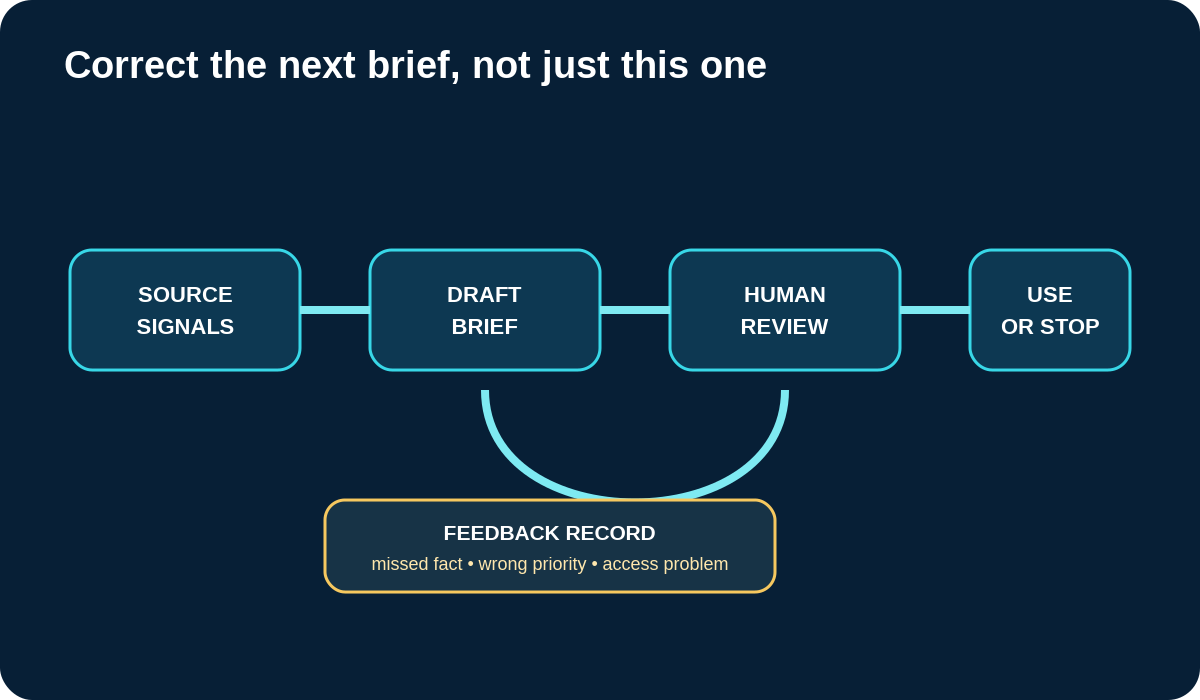
Run shadow briefs for two weeks and ask the owner to mark useful, stale, wrong, missing or too sensitive. Measure citation coverage, freshness, false urgency, missed critical items and time spent correcting—not just whether the brief was opened.
Feed corrections into the source map and contract. Do not train on private feedback or widen access without approval. If a brief repeatedly misses the same fact, fix the retrieval path or stop the use case rather than asking the model to sound more confident.
Realistic limitations and why this topic was selected
A proactive assistant can surface the wrong priority, expose sensitive context, turn an ambiguous message into a false commitment or repeatedly interrupt people with low-value alerts. It may miss information stored outside connected systems, mistake old discussions for decisions or hide a retrieval failure behind polished prose. Human owners still decide what matters, what may be shared and what action is justified.
A focused Firecrawl search on November 17 for “Holiday Extras dots proactive AI assistants November 16 2026” returned independent coverage first and the primary customer account immediately after it. The same-day source pair established current attention, while the access-versus-utility tension created a practical gap relevant to Deep Security readers. Search placement is not proof of traffic, ranking, adoption or typical performance.
Put the insight into practice.
Deep Security helps organizations assess risk, validate controls, and build a practical plan to strengthen their defenses.
Talk with Deep Security