

Review Google Drive sharing and third-party OAuth access with AI-assisted prioritization, owner confirmation and reversible remediation.
Why Drive access review matters before the next AI connection
Material Security announced a Google Drive Security Agent on October 22, describing automated investigation of sensitive files, sharing context and optional remediation. Its commissioned study across 159 organizations reported that AI tools with OAuth access could reach 475 million sensitive Drive files. Treat that number as a vendor study, not a universal exposure rate or a finding about your domain.
The broader operational question exists regardless of product: when an assistant receives delegated Drive scopes, it may inherit years of link sharing, group membership and stale permissions. Google Workspace administrators can review apps, restrict services and high-risk OAuth scopes, set app access, and choose defaults for unconfigured apps. Google's documentation also lists limitations, so a single control should not be treated as complete protection.
Firecrawl research on October 26 returned the October 22 launch and syndication plus the official product page. That shows fresh public coverage but does not establish traffic, search volume, independent security outcomes or DeepSecurity.io ranking.
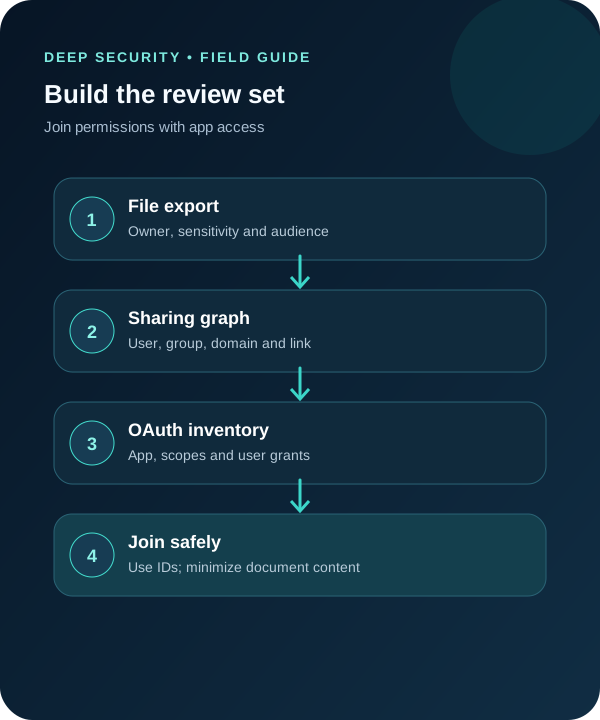
1. Export a minimal, reviewable evidence set
Start with approved Google Workspace reports and Drive inventory sources. For each file or shared-drive item, capture stable ID, owner or manager, sensitivity label when available, age, last activity, audience type, group or domain exposure, link setting and external principals. Separately export third-party application name, client ID, OAuth scopes, access status and granted users.
Do not send document bodies to a model just to find oversharing. Use metadata and existing labels first. If classification requires content, route only the smallest approved excerpt through your organization's data-handling process and record why it was necessary.
The tools required are a Workspace admin or equivalent authorized export, a protected analysis workspace, a case or change system and an approved assistant. The assistant receives sanitized rows, not live administrator credentials or direct autonomous control.

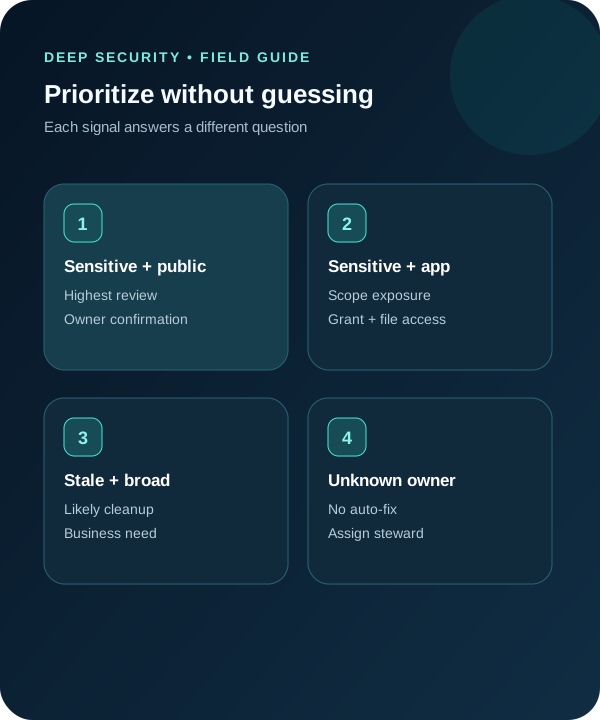
2. Prioritize by sensitivity, audience and inherited app reach
Create review tiers instead of one opaque risk score. A sensitive file reachable through a public link is different from a stale internal document visible to a broad group, and both differ from a file available to users who granted a third-party app broad Drive scopes. Keep the signals visible so owners understand why an item was selected.
Useful fields include sensitivity basis, sharing path, OAuth scope path, business owner, last legitimate use, current collaborators and proposed action. Unknown owner is not permission to revoke; assign a steward or escalate through records and legal processes first.
The expected output is a queue with one row per decision: retain, narrow, remove, transfer, archive or investigate. Include the evidence IDs and the person authorized to approve the outcome.
3. Ask AI for a cited proposal, not an automatic cleanup
Example prompt: ‘Using only these sanitized permission, label and OAuth rows, produce a review queue. Cite file ID, sharing record and app grant for every recommendation. Do not infer sensitivity, ownership or business need. Mark missing owners and ambiguous group membership as unknown. Suggest the smallest reversible change and a validation step.’
Compare the assistant's totals with the raw exports and manually inspect samples from every tier. Require file or shared-drive owners to confirm intended audience. For group-based access, resolve current membership with the authoritative directory rather than relying on a stale text export.
AI is most useful here as a reconciliation layer: it can cluster repeated patterns, draft owner questions and format a change plan. It should not read all documents by default, decide legal retention, remove access or approve a third-party app.

4. Stage changes in small, reversible batches
Pilot with a narrow cohort and a small set of high-confidence findings. Show owners the current path, proposed path and expected collaborator impact before execution. Use Workspace-native controls or an approved security tool, preserve the before-state and maintain a rollback path.
Review OAuth access as its own control plane. Google's guidance lets administrators manage app access and restrict high-risk scopes or unconfigured applications, but organization needs and product behavior vary. Test with representative users and verify current edition, settings and limitations before a broad policy change.
The Material pages reviewed did not clearly state pricing, plan eligibility or complete implementation limitations. If evaluating that product, obtain current commercial and technical terms directly and run the same evidence-based pilot; do not assume the launch announcement proves suitability.
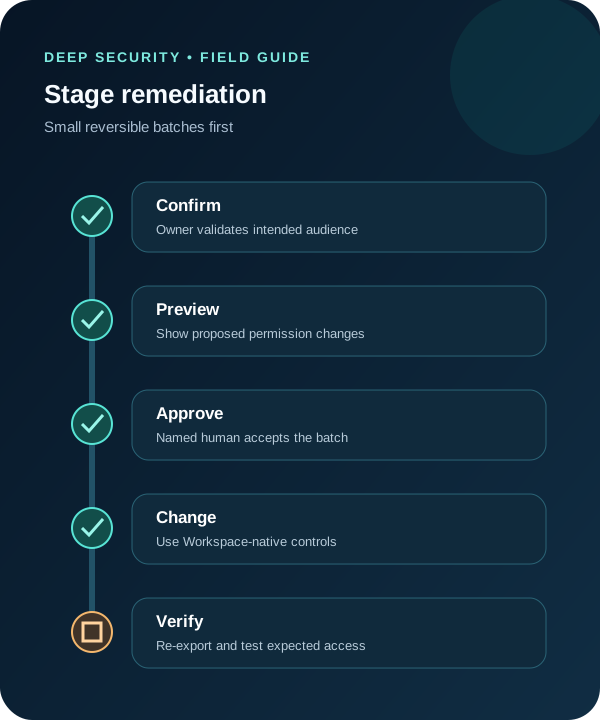
5. Verify the new state and monitor recurrence
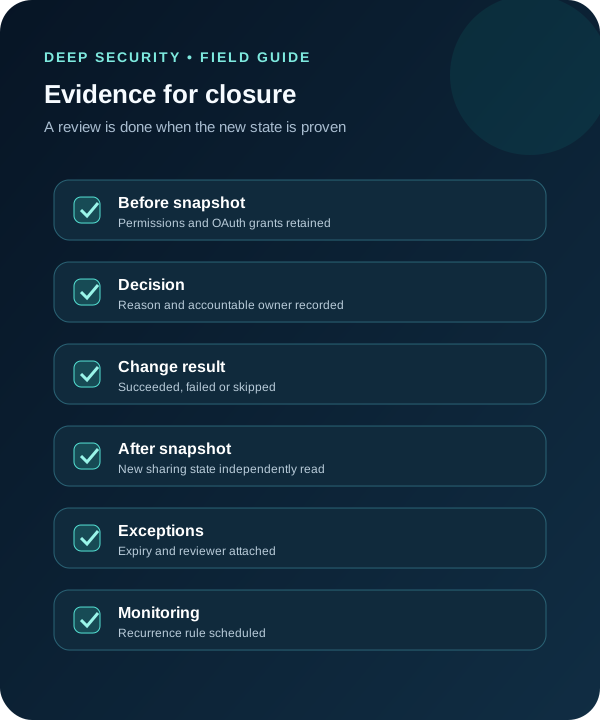
Re-export permissions and OAuth grants after each batch. Compare stable IDs, not filenames, and test access with representative authorized and unauthorized identities. Record succeeded, failed and skipped changes separately.
Close an item only when the owner decision, change result and fresh evidence agree. Keep exceptions time-bound with an accountable reviewer. Monitor newly public links, external domains, broad groups, high-risk scopes and new unconfigured apps so cleanup does not become a yearly snapshot.
The durable outcome is a repeatable pre-connection gate for assistants and agents: before enabling a new integration, understand the user's inherited Drive reach, narrow unnecessary sharing, approve the app and scopes, then verify the resulting access.
A practical handoff for Workspace operations
Provide operations with total items reviewed, permission paths changed, OAuth grants changed, failed actions, open owners and exceptions. Include the exact export timestamps and state that vendor study figures were context—not a measurement of the organization.
- Minimize content exposure; start with metadata and labels.
- Keep file permissions and OAuth app access as separate but joined evidence.
- Require a fresh read to verify every consequential change.
Put the insight into practice.
Deep Security helps organizations assess risk, validate controls, and build a practical plan to strengthen their defenses.
Talk with Deep Security