

A practical, evidence-first workflow for using an approved AI assistant to inventory affected cPGuard servers, map credential reachability and build a human-reviewed rotation queue.
Why this incident needs a fleet view
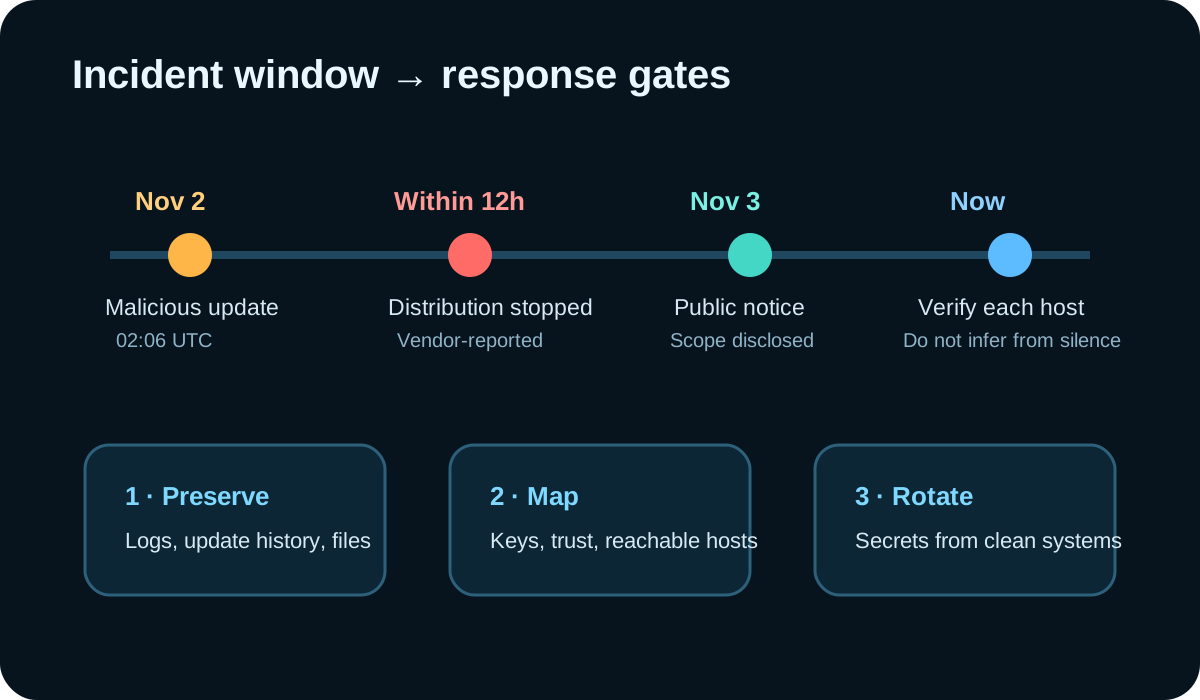
OPSSHIELD reported that an unidentified attacker used compromised credentials to distribute a malicious script through the cPGuard update channel on November 2. The primary advisory identifies versions 5.88.12 through 5.88.19 and says the attack was detected within 12 hours. BleepingComputer independently covered the compromise on November 3. Those dated reports establish current attention; they do not establish that every cPGuard installation was affected.
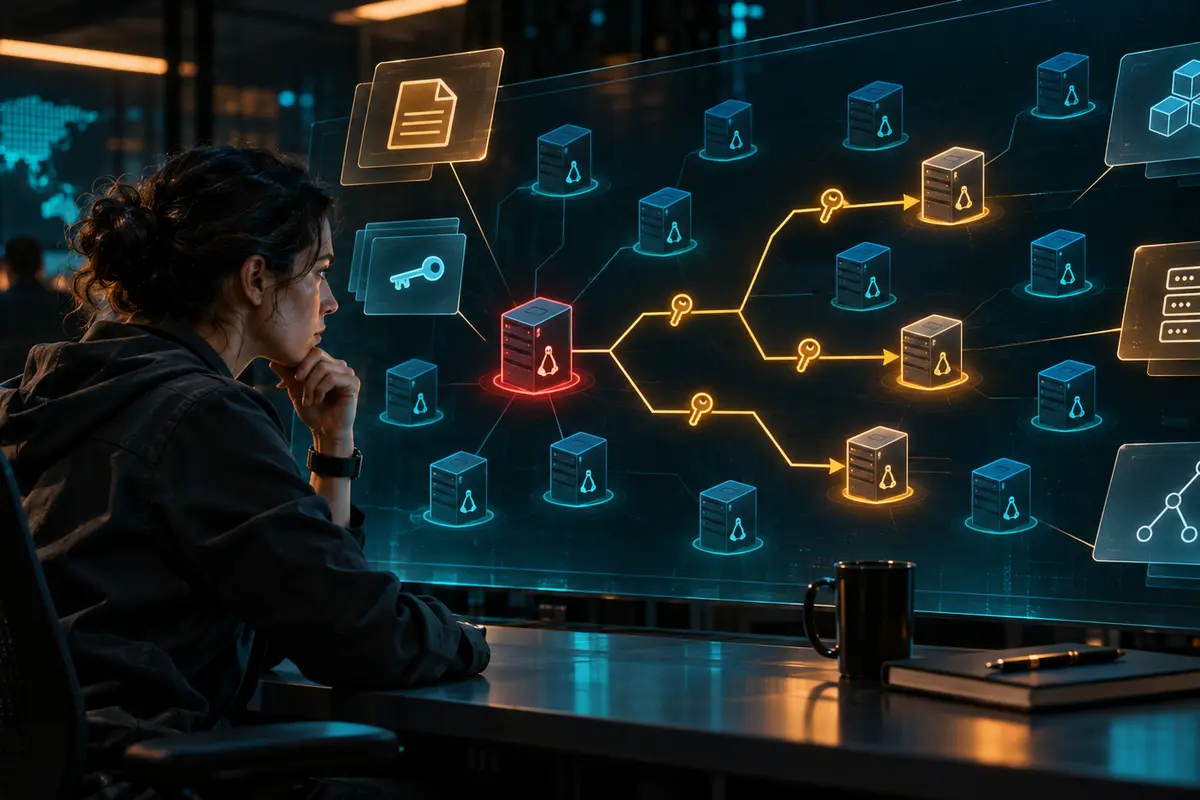
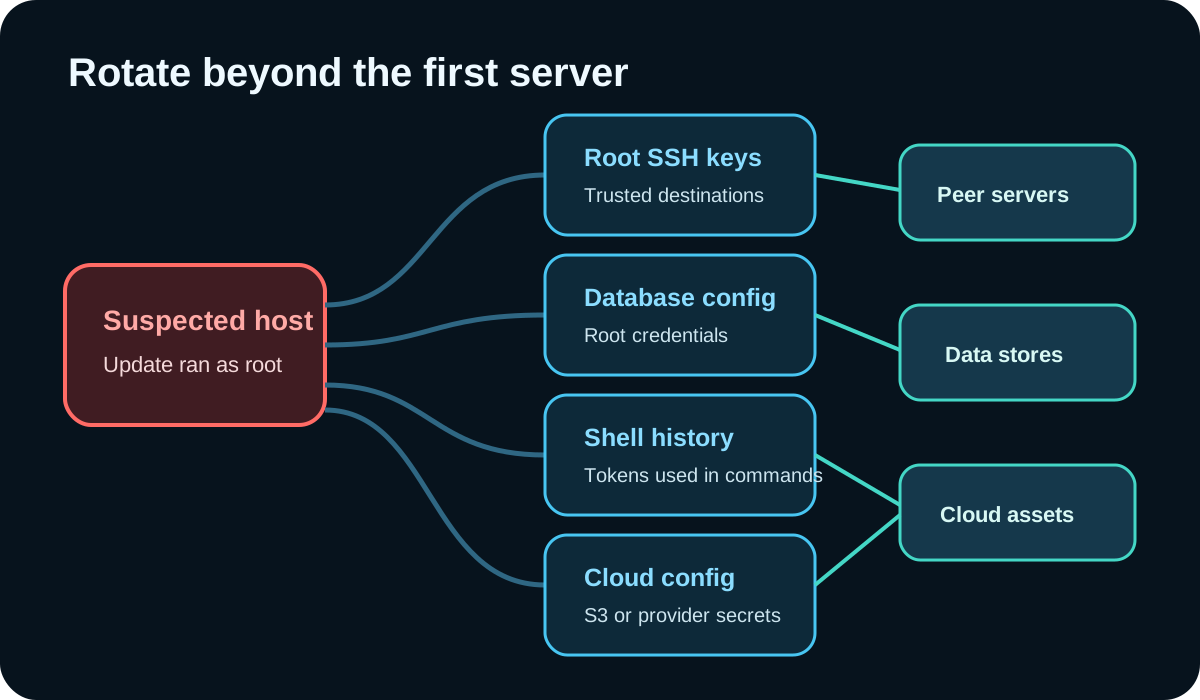
The response problem is larger than finding one file. The vendor says the script collected Linux password material, root database configuration, root shell history and root SSH trust data. A key present on one server may authorize access to several others, while a token in shell history may reach a cloud account. An approved AI assistant can help build that reachability map from exported evidence, but it should remain outside the execution path.
Tools and boundaries
This workflow is for Linux administrators, incident responders and managed service providers with authorized access to the affected estate. Use a trusted recovery workstation, your inventory or configuration-management export, preserved cPGuard logs, SSH key fingerprints, identity and network telemetry, a ticketing system, and an organization-approved AI assistant that will not train on or retain incident data beyond policy.
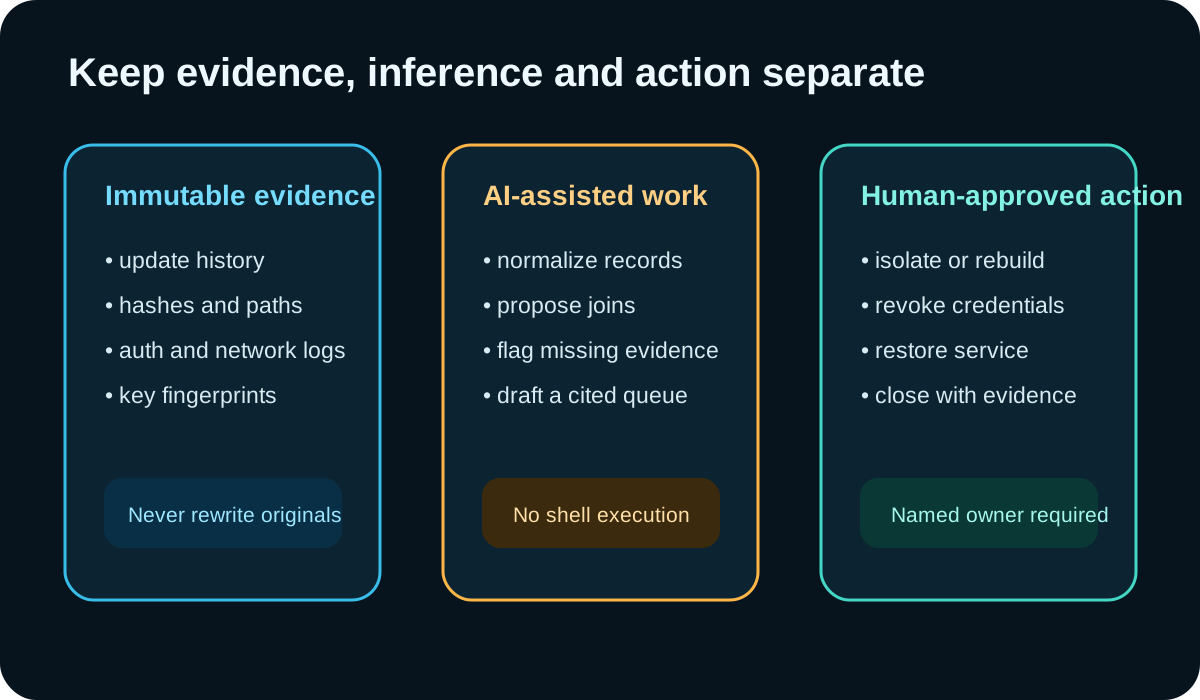
Do not paste private keys, passwords, token values, raw shadow files or unrestricted shell history into a model. Replace secrets with stable labels such as KEY-07 or TOKEN-12. Preserve originals in the incident repository and give the model redacted copies. Disable tool execution and outbound connectors for this task.
- Read-only evidence exports; no agent shell access.
- Stable host, key and secret identifiers that analysts can resolve privately.
- Named human owners for containment, rotation, rebuild and service restoration.
- A separate field for observed evidence, model inference and analyst decision.
Step 1: preserve and classify every cPGuard host
Start with the vendor’s check: review each server’s cPGuard update history for versions 5.88.12 through 5.88.19. OPSSHIELD warns that a missing or incomplete log does not prove a host was unaffected, and that corrective cleanup may remove indicator files. Record the evidence state as confirmed affected, confirmed not in the update window, indeterminate, or not yet checked.
Export one redacted row per host: asset ID, business owner, environment, update-history result, current cPGuard version, log completeness, indicator status, externally reachable services, backup date and ticket owner. Ask the assistant to validate the table structure and identify missing fields, not to invent a verdict.
Step 2: prompt for an evidence-linked blast-radius queue
Give the assistant only the redacted host table and a separate list of approved relationships: SSH key fingerprint to trusting host, database credential label to service, cloud-token label to account, and the evidence ID supporting each relationship. Require the model to leave a field unknown when the evidence is missing.
Example prompt: “Using only the attached redacted evidence, produce one row per host or credential relationship. Include evidence IDs, update-window state, reachable assets, business owner, recommended next check, confidence and unresolved questions. Do not call a host compromised unless the evidence says so. Do not provide shell commands or make changes. Flag contradictions for analyst review.”
- Expected output: a sortable queue, not a narrative conclusion.
- Reject rows without source evidence IDs.
- Require a reason for every confidence label.
- Escalate any relationship that crosses a tenant, customer boundary or production trust zone.
Step 3: rotate from a clean system in dependency order
OPSSHIELD instructs administrators to update cPGuard to 5.88.25 or later and, if the script ran or may have run, reset local Linux passwords, rotate affected database and cloud credentials, replace root SSH private keys, and remove corresponding old public keys from every trusting system. Follow the current primary advisory rather than copying commands from a secondary article.
Order the work so that recovery channels and administrative control are secured before downstream credentials. Rotate from a trusted environment, revoke old material, test the new credential, and record the evidence. Rebuild when the incident lead determines trust cannot be restored safely. The AI assistant may draft the dependency order; the service owner and incident commander approve it.

Verification and realistic limitations
Close a row only when a human has checked the cited evidence, completed or explicitly deferred the action, and verified the old credential no longer works where appropriate. Re-run reachability checks after rotation because a trust graph can change during response. Retain exceptions with an owner and expiry.
AI cannot prove a host is clean, recover deleted evidence or determine what an attacker retrieved. It can misjoin similarly named assets, overstate incomplete logs and create a plausible but wrong dependency chain. OPSSHIELD’s advisory says the investigation into access and data transfer was still ongoing; treat scope figures and retrieval estimates as vendor-reported, time-bound information. This article describes an illustrative workflow and was not tested against a production cPGuard estate.
Why this topic was selected
A focused Firecrawl search on November 8 returned OPSSHIELD’s primary advisory first and recent independent coverage from BleepingComputer and Brandefense. The sources describe a real update-channel compromise with concrete fleet, credential and trust-mapping work. That is a current-attention signal, not proof of search volume, Google ranking or traffic to this article.
Put the insight into practice.
Deep Security helps organizations assess risk, validate controls, and build a practical plan to strengthen their defenses.
Talk with Deep Security