

Evaluate 1Password for Agents with low-risk accounts, explicit sign-in approval, observed session behavior, failure tests and a documented adoption decision.
What launched, who can use it and what remains variable
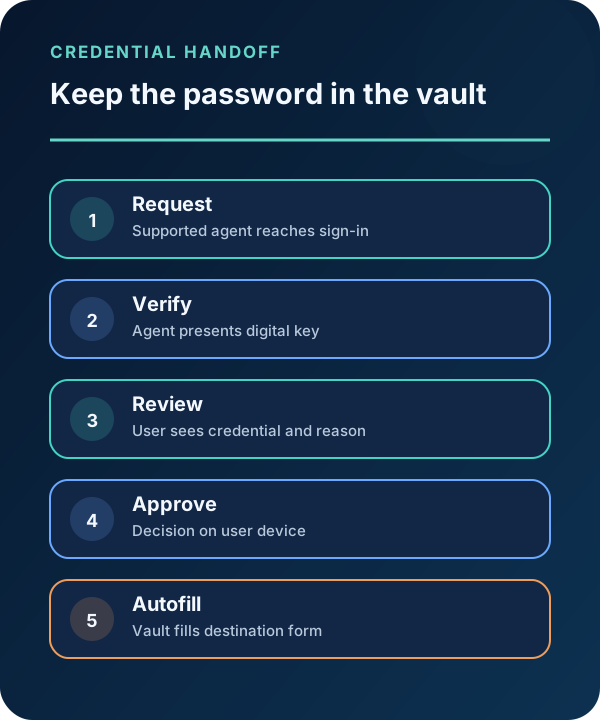
1Password announced 1Password for Agents on October 22, 2026. In the published flow, a supported agent presents a unique digital key when it reaches a sign-in form; the user sees which credential is requested and why, approves on their own device, and 1Password fills the sign-in form without sending the password to the agent.
1Password says the feature is available at no additional cost for Individual and Family accounts hosted on 1Password.com. Accounts on 1Password.eu and 1Password.ca are not currently supported. The company explicitly says availability, platforms, capabilities and safeguards vary by partner integration; some named partner integrations are described as coming soon.
Launch-day Firecrawl results included the official announcement and prominent independent coverage from The Verge and TechCrunch. This shows broad current coverage, not verified security effectiveness, enterprise readiness, usage volume or future search ranking.
1. Choose one low-risk task and synthetic account
Start with a supported integration that is actually enabled for the test account. Pick a reversible task, such as signing in to a demo scheduling service and reading a synthetic event. Do not begin with email administration, finance, cloud control planes, source repositories or customer systems.
Create a dedicated test login with no reused password, production data or recovery path to a privileged account. Enable the destination service’s own multifactor and session controls where compatible. Record the selected agent, 1Password account region and plan, destination, allowed action and stop condition.
The pilot brief should distinguish credential confidentiality from account authority: the password may remain hidden while the authenticated browser session can still read or change data.

2. Observe the approval boundary end to end
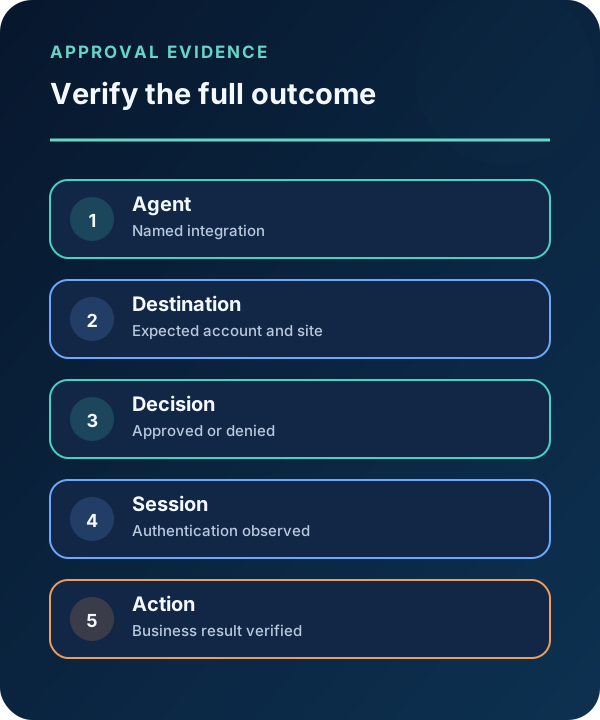
Ask the agent to perform the single task. When the sign-in request arrives, verify the named agent, destination, requested credential and stated reason before approving. Capture timestamps and nonsecret audit details; never record the password or recovery codes.
After approval, observe the destination’s authentication and application logs. Confirm that the requested action—not a broader action—occurred. Then sign out, revoke the destination session if appropriate and test whether the agent can continue without another approval.
Expected output: a trace that links the agent request, user decision, destination login, business action and session termination. The vendor’s “password not exposed to the model” claim does not by itself prove that cookies, page data or downstream actions are adequately constrained.
3. Test denials, changed context and session cleanup
Repeat the task while denying the request, changing the destination, requesting a different credential and attempting an action outside the brief. The safe result is a visible stop or a fresh decision—not silent reuse of authority.
Change the test account’s password and confirm the next approved sign-in uses the vault’s current record. Revoke sessions at the destination and verify they stop working. If the integration exposes audit history, compare it with destination logs and document any gap.
Do not manufacture adversarial prompts against a real service. Keep all negative tests inside the synthetic account and follow the partner’s terms. A failed control becomes a documented finding with owner and retest date.

4. Make a partner-specific adoption decision
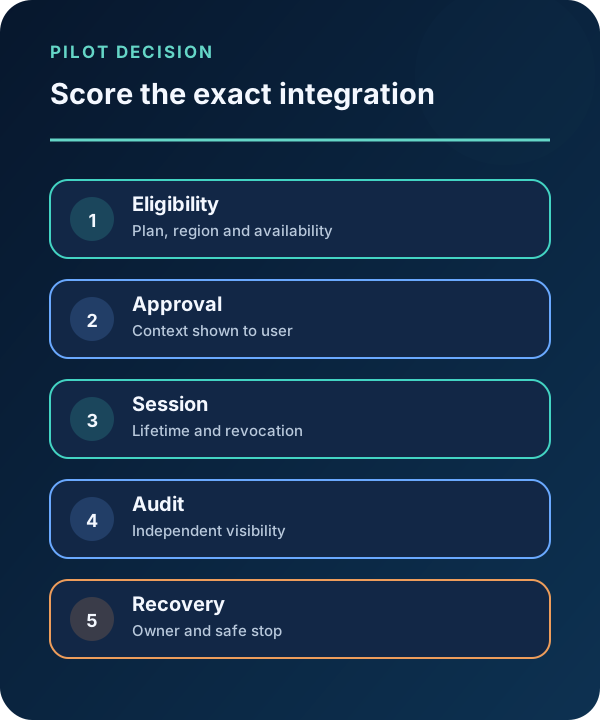
Score the exact integration, not the platform name. Record eligibility, supported browser or cloud environment, approval detail, session lifetime, audit visibility, destination controls, recovery procedure, data access after login and administrator policy options. Unknowns stay unknown.
A practical decision is “allow this integration for these low-risk tasks,” “hold pending controls” or “do not adopt,” rather than a universal approval. Personal-plan availability is not evidence of an organization-wide identity architecture or centralized enterprise governance.
If the pilot advances, create an allowlist of destinations and data classes, owner training, incident revocation steps and a recurring access review. Keep privileged and production accounts out until the relevant partner controls are documented and tested.
Pilot checklist and realistic limits
This feature addresses credential delivery to supported agents. It does not eliminate phishing, unsafe destination content, excessive account permissions, harmful post-login actions or risks inside the partner agent. Keep the destination account least privileged and preserve independent logs.
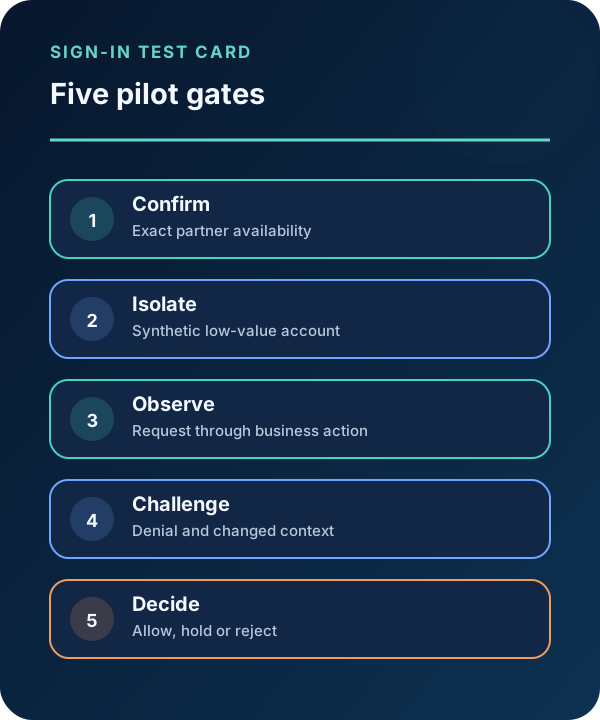
- Confirm plan, account region and exact partner availability before testing.
- Use a synthetic low-value account and verify both sign-in and business action.
- Test denial, changed context, password change, logout and session revocation.
Put the insight into practice.
Deep Security helps organizations assess risk, validate controls, and build a practical plan to strengthen their defenses.
Talk with Deep Security